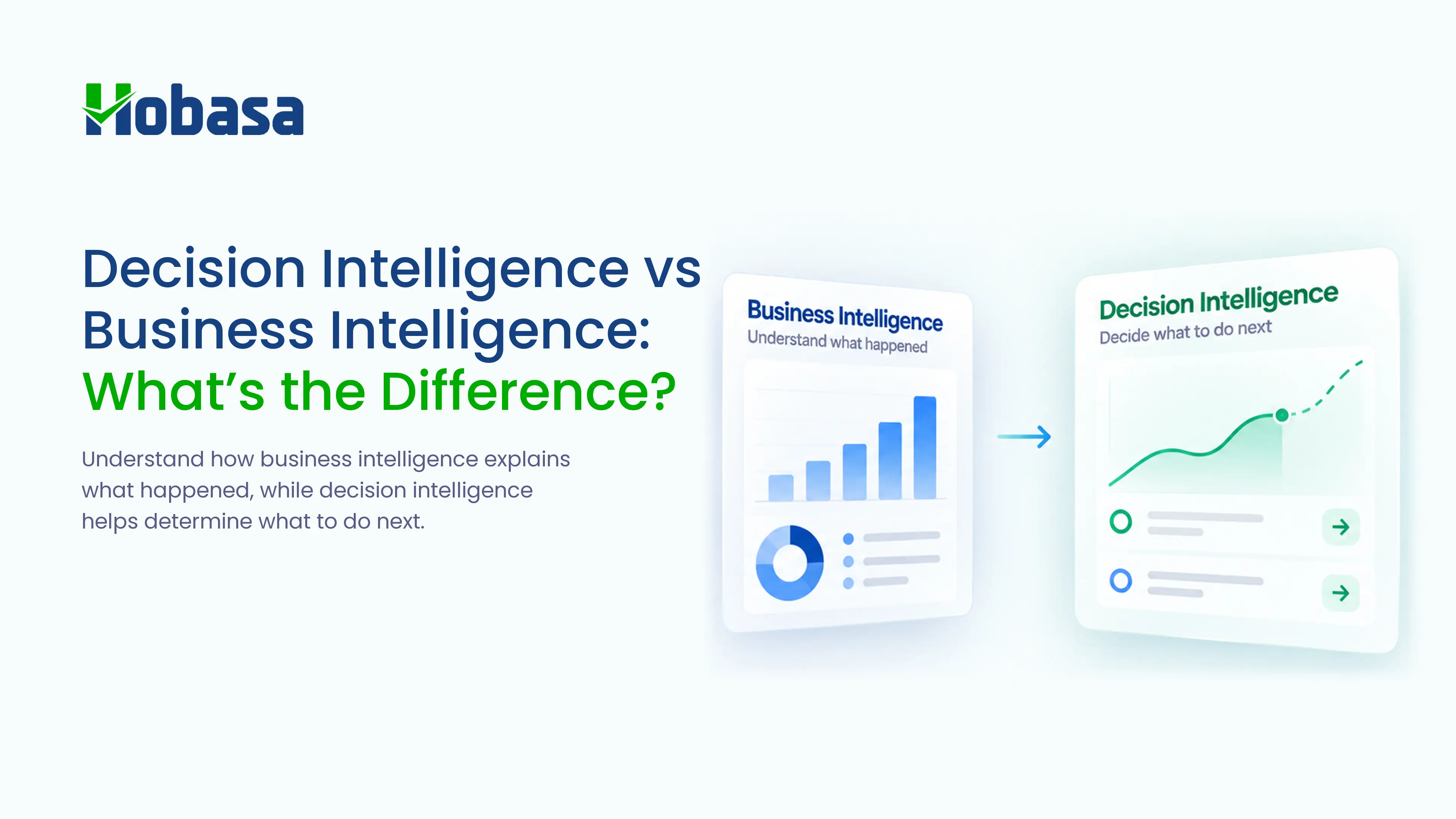
- Business intelligence (BI) is descriptive and diagnostic: it shows what happened and helps explain why, through dashboards, reports, and alerts that a person has to interpret and act on.
- Decision intelligence (DI) is predictive and prescriptive: it models the decision itself, including the data, the judgment behind it, and the outcome, so recommendations, and sometimes automated actions, come with the insight.
- Gartner has projected that 50% of business decisions will be augmented or automated by AI agents for decision intelligence by 2027, and published its first Magic Quadrant for the category in January 2026.
- Decision intelligence builds on business intelligence rather than replacing it; most organizations need both, applied to different kinds of questions.
- Getting this wrong usually isn't a technology failure. It's skipping the data-quality and governance work that decision intelligence actually depends on.
What is the difference between decision intelligence and business intelligence? Business intelligence answers "what happened," turning data into dashboards, reports, and alerts that a person then has to interpret. Decision intelligence goes a step further and answers "what should happen next," using predictive and prescriptive analytics to model a decision itself, not just the data behind it. One shows you the picture. The other helps you act on it.
What Is Business Intelligence?
Business intelligence (BI) is the practice of collecting, organizing, and visualizing business data into dashboards, reports, and alerts so people can understand what happened and make informed decisions themselves.
BI tools are descriptive and diagnostic. They tell you that revenue dropped 8% last quarter, and with enough drill-down, they can show you it was concentrated in one region. What they don't do is tell you what to do about it. That interpretation, and the decision that follows, is still entirely up to the person reading the dashboard.
This is not a weakness. BI became a category in the 1990s specifically because relational databases and client-server technology made it possible for decision makers to query and interact with their own data, rather than waiting on a mainframe report. It solved a real, specific problem: getting the right information in front of the right person. It was never designed to make the decision for them.
In practice, BI shows up in a few familiar forms: self-service dashboards where anyone can filter and slice a dataset, scheduled reports that land in an inbox every morning, and alerting rules that flag when a metric crosses a threshold. All three are still descriptive. A threshold alert telling you that inventory dropped below a set level is BI doing its job well; it is not yet telling you whether to reorder, from which supplier, or how much.
What Is Decision Intelligence?
Decision intelligence (DI) is a discipline that models business decisions directly, using predictive and prescriptive analytics to recommend, and sometimes automate, what should happen next, not just what already happened.
Gartner, which has been the most active analyst firm defining this category, describes decision intelligence as a practical discipline focused on explicitly engineering how decisions get made and how their outcomes are tracked and improved over time. In January 2026, Gartner published its first Magic Quadrant for decision intelligence platforms, a signal that the category has moved from an emerging idea to one analysts consider mature enough to formally evaluate.
Where BI hands a person a dashboard, DI hands a person a recommendation, or in some cases takes the action automatically within defined rules. A simple example: approve a loan application if the credit score clears a threshold, flag it for review if it doesn't. That is a decision intelligence rule, not a dashboard.
The mechanics behind this usually involve three things working together: a data layer, drawing on the same kind of information BI already uses; a model that predicts likely outcomes for a given decision; and a feedback loop that tracks what actually happened after the recommendation was followed, so the model keeps improving. That last piece, the feedback loop, is what most clearly separates decision intelligence from a one-time predictive model bolted onto a dashboard. A model that predicts once and is never checked against what actually happened is not really practicing decision intelligence, whatever it's called in the sales deck.
Decision Intelligence vs Business Intelligence: The Core Differences
| Business Intelligence (BI) | Decision Intelligence (DI) | |
|---|---|---|
| Core question | What happened? | What should happen next? |
| Analytics type | Descriptive, diagnostic | Predictive, prescriptive |
| Primary output | Dashboards, reports, metrics, alerts | Recommendations and, in some cases, automated actions |
| Role of AI | Minimal | Central; AI models the decision and its likely outcomes |
| Human role | Required to interpret and act on the insight | Supported by AI-generated recommendations, with a person still able to review |
| Time horizon | Looks backward and at the present | Looks forward, toward a specific upcoming decision |
| Governance needs | Standard data access controls | Decision rights, audit trails, and escalation paths defined before launch |
The most important rows in that table are the last three. Decision intelligence does not mean removing the person from the decision, and it does not mean the governance question can wait until after something goes wrong. The more defensible implementations keep a human reviewing the recommendation before it becomes an action, particularly for anything financial, legal, or personnel-related, and they decide who is accountable for a wrong recommendation before the system ever goes live, not after an incident forces the conversation.
Need more than another dashboard?
Hobasa connects business data across systems to surface decision-ready findings, so your team spends less time assembling the picture and more time acting on it.
Talk to our teamA Brief History: From Decision Support to Decision Intelligence
The distinction between BI and DI is not new; it is a relabeling of a pattern that has repeated for decades, each time technology made a new kind of interaction with data possible.
In the 1980s, mainframe-based systems that helped managers make decisions were called decision support systems, or DSS. They were powerful for their time but rigid: a manager typically requested a report and waited for it to run. In the 1990s, as relational databases and client-server technology matured, the category was rebranded business intelligence, reflecting both a technology shift and a shift toward letting decision-makers query and explore data themselves rather than wait for a canned report to come back.
Decision intelligence is the next step in that same lineage. BI made data visible and explorable. DI aims to make the decision itself the unit of analysis, tracking not just what the dashboard showed, but what recommendation followed, what action was taken, and what outcome resulted, so the whole loop can be improved over time. Seen this way, DI is less a replacement for BI and more the next layer built on top of it, the same way BI was built on top of what DSS had already established.
Real-World Examples of Decision Intelligence
Abstract definitions are easier to test against concrete cases.
Credit approval: A BI dashboard shows overall loan default rates by segment. A decision intelligence system evaluates each application against a model and recommends approve, decline, or refer for manual review, with the reasoning attached to the recommendation, not buried in a separate report.
Hiring screens: A BI report shows time-to-fill and source-of-hire trends. A decision intelligence system flags which candidates most closely match the profile of past successful hires and routes them for interview, while still leaving the interview decision to a person, since matching a past pattern is not the same as guaranteeing a good hire.
Fraud and anomaly detection: A BI dashboard shows total flagged transactions by month. A decision intelligence layer scores each transaction in near real time and recommends which ones need investigation now versus which can wait for the batch review, so a small fraud team's time goes to the cases most likely to matter.
Financial variance review: A BI report shows that a department's spend is over budget. A decision intelligence approach connects that variance to its likely cause, whether that's headcount, vendor pricing, or timing, and suggests where to look first, instead of leaving a finance team to manually trace the number back through three separate systems.
Inventory and replenishment: A BI dashboard shows current stock levels against a reorder threshold. A decision intelligence system predicts demand for the coming weeks based on seasonality and recent trend, and recommends an order quantity and timing that accounts for lead time, rather than simply flagging that stock is low today.
Dynamic pricing: A BI report shows historical conversion rates at different price points. A decision intelligence system recommends a specific price adjustment for a specific segment or time window, based on current demand signals, with the historical data as its foundation rather than its final answer.
In every example, the BI layer is still present; it is the foundation the decision intelligence layer builds on, not something it discards.
Common Misconceptions About Decision Intelligence
Adoption of decision intelligence, like AI adoption generally, tends to stall for reasons that have little to do with the underlying model.
Misconception: if the model works in a pilot, it's ready to roll out everywhere. A recommendation engine tested on clean, well-labeled data from one department often breaks when it meets a second department's inconsistent naming conventions and undocumented exceptions. Scaling a decision intelligence system is closer to a change-management project than a software rollout.
Misconception: the hard part is the AI model. In practice, the most common reason a promising pilot never reaches production is data quality and fragmentation, not the model itself. If finance calls a customer record something different than sales does, no model can reconcile that on its own; the underlying data has to be connected first.
Misconception: automation means removing the human entirely. Even the most mature decision intelligence deployments, including in high-stakes areas like credit and fraud, tend to keep a person reviewing recommendations rather than letting the system act fully unsupervised, particularly while trust in the system is still being established. Analysts covering enterprise AI adoption in 2026 have specifically flagged unresolved reliability and security issues in fully autonomous, "agentic" systems as a reason this human checkpoint is likely to remain standard practice for the near future, not a temporary training-wheels phase.
Misconception: governance can be added later. Deciding who is accountable when a recommendation turns out to be wrong, and what the audit trail needs to capture, is a design decision that belongs at the start of a decision intelligence project, not a compliance checkbox added after the first incident.
Misconception: more data automatically means a better recommendation. Piling additional data sources into a model without reconciling how each one defines the same entity, a customer, an employee, a transaction, tends to make recommendations less reliable, not more, since the model is now learning from contradictions it has no way to resolve on its own. Connecting the data cleanly matters more than connecting a lot of it.
None of this is a reason to avoid decision intelligence. It's a reason to treat the data and governance work as the actual project, with the model as one part of it rather than the whole thing.
Is fragmented data holding your AI plans back?
Before adding another model or dashboard, connect the Finance, HR, Payroll, and Operations data your decisions already depend on.
Explore the PlatformDo You Need Business Intelligence or Decision Intelligence?
The honest answer for most organizations is both, applied to different questions. A practical way to decide which one a given problem needs:
1. Is the question "what happened" or "what should I do"? If a dashboard fully answers the question once someone looks at it, that a BI problem. If the answer requires judgment about a specific case or action, one that a person currently has to work out by hand each time, that leans toward DI.
2. Does the decision repeat often enough to model? Decision intelligence earns its cost on decisions made frequently and consistently, loan approvals, fraud flags, routing decisions, not one-off strategic calls that only come up once a year. A decision made twice a quarter rarely justifies the investment; one made daily or weekly usually does.
3. Can the outcome be measured and fed back in? DI depends on tracking whether a recommendation led to a good outcome. If there's no clear way to measure that, a BI dashboard reviewed by a person may be the more honest tool for now, at least until a measurable definition of success exists.
4. How much risk is attached to getting it wrong? Higher-stakes decisions, financial, legal, personnel, warrant a DI system that keeps a human reviewing the recommendation, not one that acts fully automatically. Lower-stakes, high-volume decisions are usually where full automation earns its keep fastest.
Most organizations don't choose one over the other. They keep BI dashboards for exploration and reporting, and add decision intelligence specifically where a repeatable decision would benefit from a modeled recommendation. A useful gut check: if you've caught yourself building the same manual analysis for the third or fourth time this quarter, that repetition is usually the clearest sign a decision intelligence layer would pay for itself faster than another dashboard would.
What This Looks Like Together, in Practice
The cleanest way to see BI and DI working as a pair is to walk through one decision from start to finish.
A regional retail chain's BI dashboard shows that same-store sales in one district dropped 6% this month. That's the BI layer doing exactly what it should: surfacing a clear, accurate signal. The dashboard alone doesn't say why, and it doesn't say what to do differently next week.
A decision intelligence layer sitting on the same underlying data goes further. It connects the sales drop to a specific pattern: three stores in that district reduced weekend staffing over the same period, based on a scheduling change made six weeks earlier. It recommends restoring weekend coverage at those three locations and estimates the likely sales recovery based on how similar staffing changes played out elsewhere in the chain. A regional manager reviews the recommendation, checks it against what they already know about those stores, and approves or adjusts it.
Notice what didn't happen: the system didn't quietly change the schedule on its own, and the BI dashboard didn't disappear. The dashboard is still there for the manager to check the underlying numbers. The decision intelligence layer just did the work of connecting the sales number to a specific, checkable cause, and turned that into something a person could approve in minutes rather than research for a week. That's the practical difference this whole comparison is really about.
Where Cross-System Intelligence Fits
Hobasa describes itself as a cross-system intelligence platform, not a decision intelligence platform, and that distinction is worth being precise about. What Hobasa's own language does say is that it turns disconnected business data into decision-ready information, so leaders understand what's happening, why it matters, and what to do next. That is a fair description of doing decision-intelligence-style work, even without adopting the category label.
In practice, this shows up as the difference this article has been describing. A finance dashboard might show that payroll cost rose. Hobasa connects payroll, HRIS, and finance data and surfaces the specific finding: this department's headcount grew faster than budgeted, here's the record it traces back to, and here's what to check next. That is closer to a decision-ready finding than a chart that still needs a person to go investigate.
Every finding is source-grounded, citing the specific record it came from, and reviewed by a person before it reaches a decision-maker, consistent with Hobasa's stated AI-assisted, human-reviewed approach. This matters directly to the human-role and governance rows in the comparison table above: the goal is not to remove judgment from the decision. It's to remove the manual work of assembling the data the judgment depends on, while keeping a person in the loop before anything reaches someone who has to act on it.
If you're evaluating platforms in this broader category, related reading on the specific software types involved: Best HR Analytics Software for CFOs & CHROs and People Analytics Software: What It Is and How to Choose One.
See what decision-ready information looks like.
Talk to the Hobasa team about a business decision your team currently has to research manually and see how connected data can surface the findings behind it.
Book a demoConclusion
The line between business intelligence and decision intelligence is really a line about how much of the thinking a tool does for you. A dashboard tells you what happened and leaves the rest to you. Decision intelligence tries to close that last gap, connecting the data to a specific, actionable recommendation, ideally one a person can still check before it becomes a decision.
Getting there is less about picking the right AI model and more about the unglamorous work first: connecting fragmented data, and deciding upfront who is accountable when a recommendation is wrong. Most organizations don't need to choose a side between BI and DI. They need to know which problem they're actually solving before they pick the tool.
Turn business data into decision-ready insight.
Connect Finance, HR, Payroll, and Operations data to surface the context behind business signals, so your team can understand what is happening and decide what to do next.
FAQs
Business intelligence shows what happened through dashboards and reports that a person interprets. Decision intelligence goes further, using predictive and prescriptive analytics to model the decision itself and recommend, or in some cases automate, what should happen next.
No. Decision intelligence uses AI as one of its tools, particularly for prediction and recommendation, but it is a broader discipline that also includes how a decision is structured, governed, tracked, and improved over time, not AI alone.
No. Decision intelligence builds on business intelligence rather than replacing it. Most organizations keep BI dashboards for exploration and reporting, and add decision intelligence specifically for repeatable decisions that benefit from a modeled recommendation.
Common examples include automated loan approval or referral, fraud transaction scoring and triage, candidate screening and routing in hiring, inventory replenishment recommendations, dynamic pricing adjustments, and connecting a financial variance to its likely cause rather than just reporting that it occurred.
Most commonly because of data quality and fragmentation, not the underlying model. If different departments name and structure the same information differently, a model trained on one team's clean data often breaks when applied elsewhere, and the fix is usually data work, not a better algorithm.
If a dashboard fully answers your question once someone looks at it, that's a business intelligence need. If the decision repeats often, its outcome can be measured, and a modeled recommendation would save real time or reduce real risk, that points toward decision intelligence.
The discipline has been discussed for several years, but Gartner published its first Magic Quadrant specifically for decision intelligence platforms in January 2026, marking a shift from an emerging concept to a formally analyst-evaluated category.