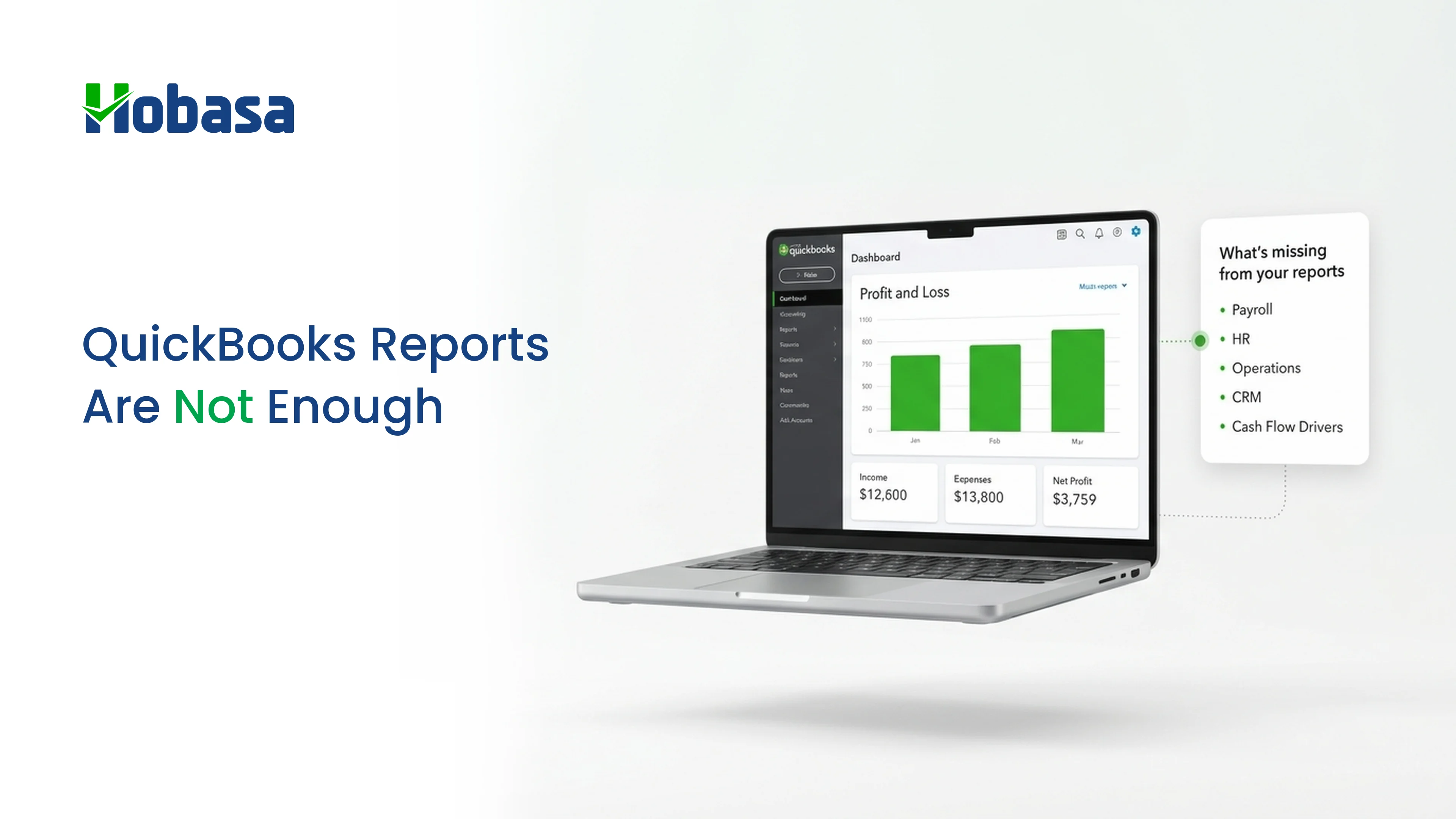
- QuickBooks reports are built to record what already happened in your books. They were never built to explain what is happening across payroll, HR, and operations at the same time.
- The gap shows up as slow answers, spreadsheet workarounds, and decisions made on last month's numbers instead of this week's reality.
- AI use inside finance functions has more than tripled since 2023, but most teams are still running it inside the same siloed systems, not across them.
- Hobasa closes this gap by connecting directly to QuickBooks Online or QuickBooks Desktop, alongside payroll, HR, and operations systems, and reviewing every finding with a person before it reaches you.
- Below: why the gap exists, what it costs, how Hobasa closes it, and a practical checklist you can start on this week.
Ask a bookkeeper what QuickBooks does and they will say it keeps the books straight.
Ask a business owner what they actually need on a Tuesday morning and it is usually a different question: why did margin drop last month, which client is about to churn, is payroll about to spike. QuickBooks reports answer the first question well. They were not built to answer the second.
For years this gap stayed invisible because businesses were smaller and simpler. One person could hold the whole picture in their head. As soon as a company adds a second location, a bigger team, or more than one system of record, the books stop being enough on their own. You end up with a P&L that is accurate and a business reality that lives somewhere else entirely.
This is not a problem you fix with a bigger QuickBooks plan. It is a structural gap between what a general ledger reports and what a growing business needs to see. Here is where that gap shows up, what it costs, how a platform like Hobasa closes it without replacing QuickBooks, and how to get started.
Why QuickBooks Reports Fall Short as You Grow
QuickBooks Online is built to be a system of record, not a system of insight. That distinction explains almost every limitation businesses run into as they scale.
No cross-system view
QuickBooks reports on what is inside QuickBooks. It has no visibility into payroll systems, HRIS platforms, CRM data, or operations tools unless someone exports and merges the data by hand.
Reports are historical, not live
Standard reports reflect what has already been posted. There is no continuous monitoring that flags an anomaly the moment it happens, only a report you run after the fact.
Multi-entity consolidation is limited
QuickBooks Online was designed around a single company file. Businesses running more than one entity, or preparing for an audit or a funding round, quickly find native consolidation was not built for that.
Custom reporting hits a ceiling
Moving up to QuickBooks Online Advanced, priced around $275 a month as of early 2026 and more than double the Plus tier, buys more users and some extra report customization. It does not add cross-system analysis or investor-grade reporting.
Integrations are point to point
Add-ons connect one system to another, but each connection needs its own maintenance, and none of them hand you one combined view of the business.
None of this is a knock on QuickBooks as an accounting tool. It does its actual job, recording transactions accurately, very well. The trouble starts when a business asks it to do a second job: acting as the single source of truth for the whole business, not just the ledger.
Read more on how this compounds across a finance function: Disconnected finance systems are costing you more than you think.
See what a cross-system view looks like. Explore the Hobasa platform to see how finance, HR, payroll, and operations data come together in one place, without replacing QuickBooks.
The Real Cost of the Books-vs-Business Gap
The gap between your books and your business rarely shows up as one big failure. It shows up as a string of small, expensive habits that finance teams start treating as normal.
Finance spends hours every close cycle rebuilding reports in spreadsheets, because QuickBooks cannot combine payroll, HR, and operational data on its own.
Leadership makes decisions on numbers that are two to four weeks old, because that is how long manual reconciliation takes.
Anomalies like duplicate vendor payments, misclassified labor cost, or margin drift on a specific job get caught at month end instead of the week they happen.
Every new system the business adds, a new payroll provider, a new CRM, a new operations tool, adds one more manual export to the monthly routine.
Industry research backs this up. A 2026 CFO Connect survey found that AI use inside finance functions has more than tripled since 2023, yet close to half of finance teams are still stuck running pilots instead of using it in real workflows. Separately, research firm SMB Group found that 42% of small and midsize businesses now use AI in at least one business process, nearly double the 2024 figure. Tools are arriving faster than the underlying data is getting connected, and QuickBooks reports alone cannot close that distance.
What QuickBooks native reports show vs. what a growing business actually needs
| QuickBooks Native Reports | What a growing business needs |
|---|---|
| Data from inside QuickBooks only | One view across finance, HR, payroll, and operations |
| Static, point-in-time reports | Continuous monitoring with real-time alerts |
| Manual reconciliation across tools | Anomalies flagged automatically, with the source record attached |
| Single-entity reporting | Multi-entity and portfolio-level consolidation |
| Numbers without context | Findings that explain what changed, why, and what to do next |
Curious what this looks like on your own numbers? Book a 30-minute walkthrough and bring a real report. We will show the same data, with the cross-system context QuickBooks cannot add on its own.
Books look fine. The business still feels off.
Hobasa closes the gap between QuickBooks reports and the operational systems that drive them.
Talk to our teamWho Feels This Gap First
Not every business notices the gap at the same time. A few roles tend to hit it earliest, and hardest.
In-house CFOs and controllers
They own the numbers leadership trusts, so every hour spent reconciling QuickBooks against payroll or operations data is an hour not spent on planning or forecasting.
Fractional CFOs
Carrying several clients at once means the QuickBooks-plus-spreadsheet routine repeats for every single one, and the reconciliation tax scales with each new engagement rather than shrinking.
See how Hobasa supports fractional CFO work.
CPA and CAS firms
The same gap shows up client by client, and it is usually what stands between a firm doing compliance work and a firm doing real advisory work. CPA firms can use a connected view to reduce data preparation and spend more time on actual advisory work.
PE and VC-backed businesses
Boards and investors expect answers faster than a manual QuickBooks export can deliver them, especially across more than one portfolio company.
The tools and the systems differ slightly across these roles, but the underlying problem is the same one: a general ledger that is accurate but incomplete on its own.
How Hobasa Fixes the QuickBooks Reporting Gap
This is exactly the gap Hobasa is built to close. Hobasa is a cross-system intelligence platform that connects directly to QuickBooks Online or QuickBooks Desktop, alongside payroll, HRIS, CRM, and operations systems, and turns everything into one connected, continuously monitored view. It does not replace QuickBooks. It sits on top of it.
Here is what actually happens once QuickBooks is connected to Hobasa.
Connect
Hobasa links to QuickBooks and every other system you run, read-only by default. Nothing in QuickBooks changes, nothing gets migrated, and your team keeps working exactly as it does today.
See the full list of integrations, which covers QuickBooks Online, QuickBooks Desktop, NetSuite, Sage Intacct, and dozens of payroll, HR, and operations tools.
Reconcile
Every connected system maps into one canonical model. Where QuickBooks and another system disagree, for example payroll shows different hours than a scheduling tool, Hobasa keeps both numbers instead of quietly picking one. The disagreement itself becomes the finding worth looking at.
Solve
Rules and grounded AI scan continuously for anomalies: revenue leakage, duplicate vendor payments, payroll misclassifications, compliance gaps. Every finding arrives with the rule it broke, the systems it spans, and the exact source record behind it, so your team can act on it instead of just reading it.
Run
This is not a one-time project. Checks keep running as your data and rules change, with findings routed to the right person, whether that is a controller, a CFO, or a reviewing partner at a CPA firm.
Key KPIs available on day one
Revenue Leakage % - dollars slipping through billing, discounts, and unapplied payments.
Cash Conversion Ratio - how quickly earned revenue becomes usable cash.
Payroll Anomaly Score - unusual pay, hours, or classification patterns.
Regulatory Compliance Risk - exposure across labor, tax, and workforce obligations.
Illustrative example
A field-services company connects QuickBooks Online alongside its scheduling and payroll systems. Hobasa flags that a technician was paid for 46 hours in a week where the scheduling system shows only 38 hours booked, a mismatch that would otherwise surface months later, if at all.
The finding cites the exact QuickBooks payroll entry and the scheduling record behind it. An analyst reviews it, confirms it is not a data error, and routes it to the controller with a recommended next step. Company names and figures here are illustrative, not a real client engagement.
Nothing reaches you unchecked. A qualified reviewer validates every finding against the source records before it leaves the platform, so what lands in your inbox is something you can put in front of a board or an auditor, not a raw model output.
For accounting and advisory firms specifically, this same model is what lets CPA firms shift time away from data preparation and toward actual advisory work, with one connected view across every client's QuickBooks file instead of a dozen separate ones.
Ready to see the gap closed on your own numbers? Talk to the Hobasa team or book a walkthrough. Bring a QuickBooks report you already have. We will show what changes when it is read alongside the rest of your systems.
Keep QuickBooks. Add the business view around it.
Hobasa connects your books to HR, payroll, and operations so reports explain what actually changed.
Get in touchWhy Businesses Choose Hobasa Over Other Options
Once a business notices the QuickBooks reporting gap, there are usually three paths on the table. It is worth being honest about all three.
Path 1: Keep patching manually
Bigger QuickBooks plans, more spreadsheets, more hours from the finance team each close. This costs the least upfront, but the reconciliation tax grows every time you add a system, a client, or an entity, and nothing gets checked automatically until someone happens to notice.
Path 2: Replace QuickBooks with a full ERP
This can eventually solve multi-entity consolidation and deeper reporting needs, but it is typically a project measured in months, not weeks, and it disrupts a team that may not be ready for that much system yet.
Path 3: Keep QuickBooks, add Hobasa on top
No migration, no change to how your team works day to day. Hobasa's own implementations typically run 3 to 4 weeks rather than an open-ended build. QuickBooks stays your system of record. Hobasa adds the cross-system view, the continuous monitoring, and the human-reviewed findings that QuickBooks alone was never designed to provide.
Three ways to close the gap, side by side
| Manual workarounds | Replace with a full ERP | Add Hobasa on top | |
|---|---|---|---|
| Time to see value | Immediate, but limited | Months | Weeks (typically 3 to 4) |
| Disruption to your team | Low, but ongoing pain | High | Low, no migration |
| Cross-system view (finance, HR, payroll, ops) | No | Partial, system by system | Yes |
| Findings reviewed by a person before you see them | No | No | Yes |
For most growing businesses, especially those not yet ready for the cost and disruption of a full ERP migration, adding a layer is the faster and less disruptive way to reach the same outcome: one connected, trustworthy view of the business, without touching what already works.
What Changes in the First 30 Days
Bringing QuickBooks into Hobasa is not a multi-quarter project. Based on Hobasa's standard implementation timeline of roughly 3 to 4 weeks, here is what a rollout typically looks like.
Week 1: Connect
Your QuickBooks file, along with payroll, HRIS, and any operations systems you run, gets connected read-only. Your team keeps working in QuickBooks exactly as before, nothing changes on your end.
Weeks 2 to 3: Reconcile and configure
Hobasa's team maps your systems into one canonical model and configures the KPIs, thresholds, and review cadences that matter for your business, guided by people who have actually run finance and operations, not just built software.
Week 4 and ongoing: Solve and run
Findings start surfacing, revenue leakage, payroll anomalies, compliance gaps, whatever the data actually shows. Every finding is reviewed by an analyst before it reaches you, and checks keep running as your business and your data change.
From here, the goal is simple. QuickBooks stays exactly what it has always been: your ledger of record. Everything sitting on top of it now works the way you always wished a single report could, without asking your team to change how they close the books.
How to Close the Gap: A Practical Checklist
You do not need to overhaul your finance stack to start closing this gap. Start with what is actually costing you time and confidence today.
1. List every system that holds part of the picture
QuickBooks, payroll, HRIS, CRM, and any operations tool. Most businesses are surprised how many there are once they write it down.
2. Find where reconciliation eats the most time
Ask your finance or bookkeeping team which report takes longest to prepare by hand each month. That is usually where the gap is widest.
3. Check how old your numbers are by the time a decision gets made
If leadership is acting on data that is two or more weeks old, live monitoring will have the biggest impact.
4. Decide what you actually need to see
Revenue leakage, payroll anomalies, and compliance gaps matter more than a longer list of static reports.
5. Add a layer, do not replace the system of record
QuickBooks stays the ledger of truth. A cross-system layer like Hobasa sits on top and does the connecting work your team is currently doing by hand.
This is the same approach outlined in Hobasa's broader solutions overview: connect what you already run, surface what matters, and keep a person in the loop before anything reaches a decision-maker.
QuickBooks Can Be Accurate Without Showing the Whole Business
Your books can be perfectly accurate and still not tell you what is actually happening in your business. That is not a failure of QuickBooks. It is a sign the business has outgrown what a single ledger was ever meant to do alone.
Hobasa was built for exactly this moment: keep QuickBooks doing what it does well, and add the cross-system, human-reviewed layer that turns your books into a business you can actually see clearly, one finding at a time.
Close the gap between your books and your business.
Connect QuickBooks with your finance, HR, payroll, and operations systems to surface the findings that static reports cannot show.
FAQs
QuickBooks reports only show data inside QuickBooks. Once a business adds payroll, HR, or operations systems, the reports stop reflecting the full picture, and teams end up reconciling everything by hand outside QuickBooks.
Not directly. QuickBooks integrations are typically point to point, so combining QuickBooks with payroll or HR data still needs a manual export and reconciliation, or a separate layer built to read across all of them at once.
QuickBooks reporting shows what already happened inside the ledger. Cross-system intelligence connects QuickBooks with payroll, HR, and operations data to show patterns, anomalies, and risks across the whole business, continuously rather than at month end.
A reporting or BI add-on generally makes QuickBooks data easier to look at, but it still only shows what you connect to it and still needs a person to spot what matters. Hobasa connects QuickBooks with payroll, HR, and operations data, monitors continuously for anomalies, and has an analyst review every finding before it reaches you.
Yes. Hobasa connects to both QuickBooks Online and QuickBooks Desktop, alongside dozens of other accounting, payroll, HR, and operations systems.
No. Hobasa connects to QuickBooks Online or QuickBooks Desktop directly and adds an analytical layer on top. QuickBooks stays the system of record; the added layer does the cross-system work QuickBooks was never built to do.
Cost depends on how many systems you connect and how your team is set up today. It is worth weighing against what manual reconciliation already costs each month in staff hours before assuming a connected layer is the more expensive option.