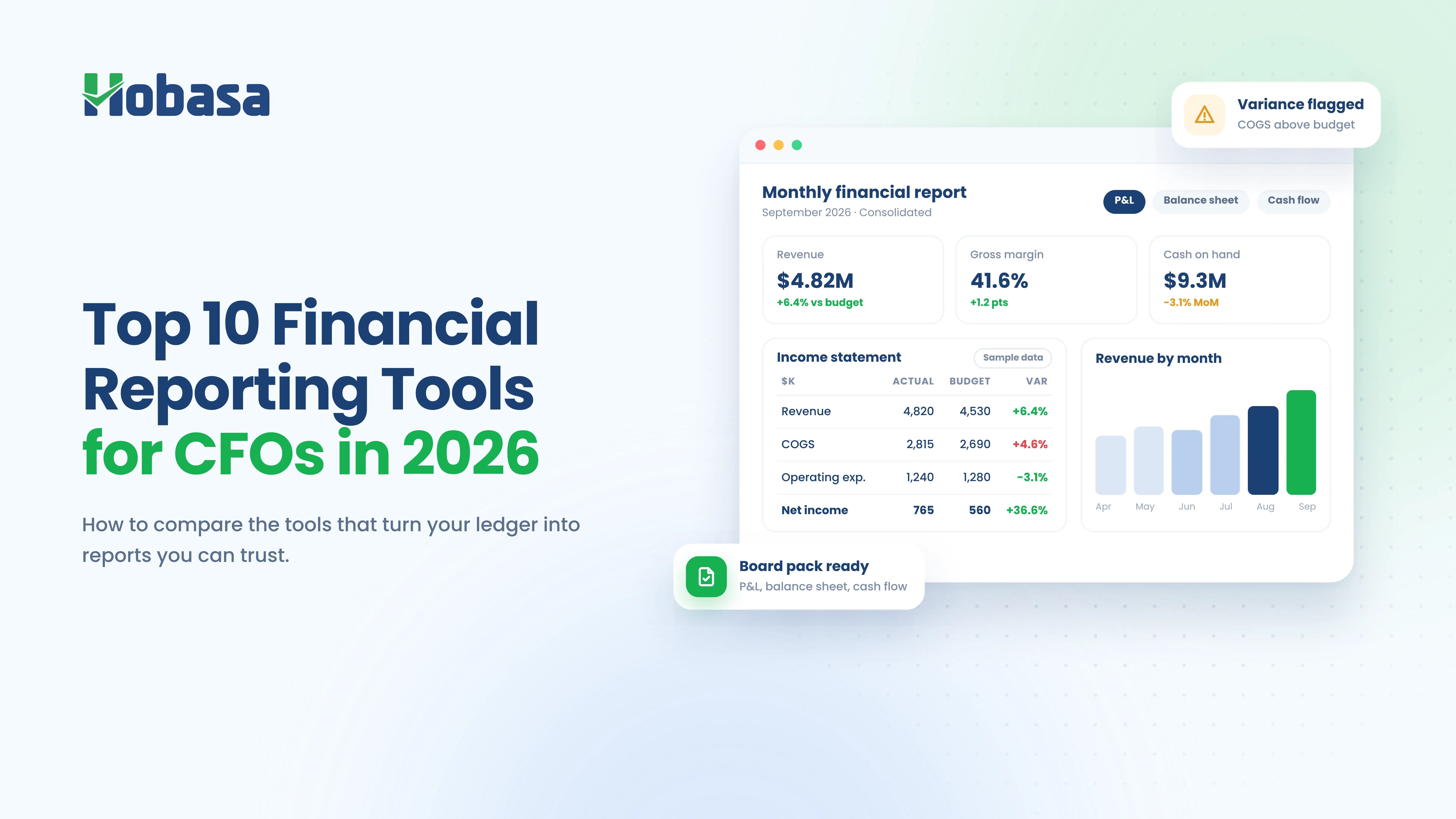
- There is no single best financial reporting software for every CFO. The right choice depends on company size, entity count, reporting obligations, and how much your team lives in spreadsheets.
- The ten CFO financial reporting tools below fall into five segments: enterprise and regulated, mid-market platforms, spreadsheet-first FP&A, small business and advisors, and general BI.
- Gartner's 2026 CFO research lists reporting automation among the highest-ROI areas, but AI features still need clear review and audit trails.
- Reporting tools show what is in your ledger. They don't check whether payroll, HR, and finance records agree, which is a separate job.
- Below: the quick answer, a comparison table, ten tool profiles, the features that matter, how to choose, and where a cross-system layer like Hobasa fits.
What Is the Best Financial Reporting Software for CFOs?
There is no single best financial reporting software for CFOs. The best fit depends on your size and your reporting burden.
Large or multi-entity enterprises usually shortlist OneStream or Oracle Cloud EPM.
Public and regulated companies with disclosure and SOX needs usually shortlist Workiva.
Mid-market finance teams that want close, consolidation, and planning in one platform often look at Planful or Prophix.
Excel-first teams tend to compare Vena, Datarails, and Cube.
Small businesses and advisory firms often start with Fathom.
Teams with a data analyst sometimes build on Microsoft Power BI.
The rest of this guide explains why.
What Is Financial Reporting Software?
Financial reporting software connects to your accounting system or ERP and turns ledger data into financial statements, management reports, and dashboards without a manual rebuild each period.
Most modern tools also handle some mix of consolidation, close management, variance analysis, and board-ready output.
CFO reporting software goes a step further. It adds controls, an audit trail, and consolidation logic, so the numbers a CFO signs off on can be traced and defended.
You will also see the term "financial reporting platform" used for the broader suites. In practice, the labels overlap. What matters is which jobs the product actually does.
Financial Reporting Software Comparison: The 10 at a Glance
These financial reporting tools for CFOs are grouped by segment, not ranked. Fit matters more than rank.
| Tool | Best for | Core strength | Typical fit |
|---|---|---|---|
| OneStream | Large multi-entity enterprises | Close, consolidation, reporting, and planning in one platform | Enterprise |
| Workiva | Public and regulated companies | Connected reporting and disclosure with audit trails | Enterprise and regulated |
| Oracle Cloud EPM | Oracle ERP shops | Prebuilt consolidation and close | Enterprise |
| Planful | Upper mid-market teams | Close, consolidation, and planning together | Mid-market |
| Prophix | Mid-market finance teams | Consolidation, close, and FP&A automation | Mid-market |
| Vena | Microsoft and Excel-rooted teams | Excel-native planning, reporting, and close | Mid-market and up |
| Datarails | Spreadsheet-centric finance teams | Automated consolidation on top of Excel | SMB to mid-market |
| Cube | Excel and Google Sheets teams | Spreadsheet-first FP&A with governance | Mid-market |
| Fathom | Small businesses and advisors | Visual reporting, consolidation, and benchmarking | SMB and advisory |
| Microsoft Power BI | Teams with a data analyst | Flexible dashboards on any data model | Any, with build effort |
Looking Beyond Financial Reporting?
Financial reporting tools help consolidate and present financial data. But discrepancies between finance, HR, and payroll systems can still go unnoticed. Hobasa helps identify gaps across these systems.
Explore Cross-System InsightsThe 10 Financial Reporting Tools CFOs Shortlist in 2026
1. OneStream
Best for: large enterprises with many entities, currencies, and a complex close.
OneStream is a unified finance platform that combines close, consolidation, reporting, planning, and analytics in one place. Its pitch is replacing several legacy tools with one system.
Strengths
- Handles complex multi-entity, multi-currency consolidation.
- Brings close, reporting, and planning into a single platform.
- Strong governance for large, controlled environments.
Consider
- It can be more platform than a smaller finance team needs.
- Expect a substantial implementation and quote-based pricing.
Ask in the demo: show how an intercompany elimination and a currency translation get traced back to the source.
CFO takeaway: the strongest fit when complexity, not cost, is the main constraint.
2. Workiva
Best for: public and regulated companies with disclosure and audit workflows.
Workiva is a connected reporting platform built around linked data, collaboration, and audit trails. It is widely associated with SEC filings, XBRL, and SOX workflows.
Strengths
- Links numbers across reports so one change flows everywhere.
- Strong audit trail and controlled collaboration.
- Built for disclosure-heavy reporting.
Consider
- It is oriented to reporting and disclosure more than operational planning.
- Pricing is quote-based.
Ask in the demo: show how one changed number flows through every linked report, and where the audit trail records it.
CFO takeaway: the category leader when the main risk is getting a filing wrong.
3. Oracle Cloud EPM (Financial Consolidation and Close)
Best for: enterprises already running Oracle ERP.
Oracle's consolidation and close product offers prebuilt consolidation, automated eliminations and translations, and narrative automation. Its biggest advantage is how closely it fits Oracle's own ERP.
Strengths
- Prebuilt consolidation and close content.
- Strong fit with Oracle ERP environments.
- Regular cloud updates and enterprise support.
Consider
- Value is highest inside the Oracle ecosystem.
- Typically sold through enterprise procurement.
Ask in the demo: show the connection to our exact ERP version, and what changes when Oracle ships an update.
CFO takeaway: an obvious shortlist entry if your ledger already lives in Oracle.
4. Planful
Best for: upper mid-market companies that want close, consolidation, and planning in one system.
Planful, formerly Host Analytics, is a cloud platform for consolidation, planning, and reporting. It supports complex needs such as converting between IFRS and local GAAP.
Strengths
- Mature close and consolidation alongside structured budgeting workflows.
- Built-in AI features, including Planful Predict for anomaly detection and projections.
- Aimed at companies outgrowing spreadsheets.
Consider
- Fits structured processes better than ad hoc ones.
- Test how much of the planning side you will actually use.
Ask in the demo: show the close checklist and consolidation for our entity structure, not a generic sample company.
CFO takeaway: a balanced pick for a growing finance team that wants one platform.
5. Prophix
Best for: mid-market finance teams automating consolidation, close, and FP&A.
Prophix is a corporate performance management platform covering consolidation, budgeting, and reporting. It is positioned for mid-market teams that want automation without an enterprise-scale rollout.
Strengths
- Consolidation, close, and FP&A automation in one product.
- Positioned for mid-market complexity.
Consider
- Confirm integration depth for your specific ERP before committing.
- Compare implementation scope against Planful and Vena.
Ask in the demo: show the connector for our ERP, and how long recent customers of our size took to go live.
CFO takeaway: worth a demo if the enterprise platforms feel oversized.
6. Vena
Best for: teams rooted in Excel and the Microsoft ecosystem.
Vena is an Excel-native FP&A platform for planning, reporting, analytics, and close. Your team keeps working in a familiar spreadsheet while a central database adds control.
Strengths
- Familiar Excel experience with governance behind it.
- Consolidation, close, and reporting workflows.
- Vena Copilot adds AI assistance.
Consider
- Implementation scope can expand as more processes move in.
- Fit is strongest where Microsoft is already the standard.
Ask in the demo: show what happens when two people edit the same model, and how version control works.
CFO takeaway: the safe choice for teams that will not give up Excel.
7. Datarails
Best for: spreadsheet-centric finance teams that want automated consolidation.
Datarails positions itself as a finance operating system built on Excel. In 2026 it launched FinanceOS and introduced AI finance agents for planning and reporting tasks. It covers consolidation, FP&A, month-end close, and cash management.
Strengths
- Keeps Excel as the working interface.
- Automated data consolidation across sources.
- Broad finance workflow coverage for a mid-sized team.
Consider
- Works best where spreadsheet discipline is already strong.
- Does not replace your accounting system or ERP.
Ask in the demo: show how a change in the accounting system reaches the spreadsheets, and who maintains the mappings.
CFO takeaway: a practical upgrade path for teams buried in linked workbooks.
8. Cube
Best for: teams that live in Excel or Google Sheets and want governed FP&A.
Cube is a spreadsheet-first FP&A tool. It keeps your team in Excel and Google Sheets while adding structure, version control, and a central data layer.
Strengths
- Works in both Excel and Google Sheets.
- Lower change-management burden for spreadsheet users.
Consider
- If you need deep statutory consolidation, test its depth early.
- Compare reporting outputs against your board's expectations.
Ask in the demo: show the same board pack in Excel and Google Sheets, and how permissions are handled.
CFO takeaway: a lighter-touch option for teams that want structure without a rebuild.
9. Fathom
Best for: small businesses, franchises, and the advisors who serve them.
Fathom is built for smaller organizations and advisory firms. It combines visual reporting, KPI tracking, consolidation across entities or locations, and benchmarking.
Strengths
- Simple, visual reporting that non-accountants can follow.
- Multi-entity consolidation aimed at small businesses and franchises.
- Popular with accountants and advisors preparing client reports.
Consider
- Complex enterprise consolidation needs may outgrow it.
- Built around reporting and analysis rather than close management.
Ask in the demo: show a multi-entity consolidation using our chart of accounts, and how reports are shared with owners or clients.
CFO takeaway: a sensible starting point for smaller finance teams, especially QuickBooks-based ones. If that is your stack, read QuickBooks Reports Are Not Enough: Closing the Gap Between Your Books and Your Business first.
10. Microsoft Power BI
Best for: teams with a data analyst who want flexible, custom financial dashboards.
Power BI is a general-purpose business intelligence tool, not finance-specific software. CFOs use it to build reporting on top of data models their teams create.
Strengths
- Flexible visualization across almost any data source.
- Familiar to many teams already in the Microsoft stack.
Consider
- Consolidation, eliminations, and close logic have to be built or sourced elsewhere.
- Every metric and model needs an owner.
Ask in the demo: ask who will build and own the finance data model, and what happens when that person leaves.
CFO takeaway: powerful if you have the people to maintain it. For why dashboards alone fall short of decisions, see Decision Intelligence vs Business Intelligence: What's the Difference?.
Also worth a look: BlackLine, for close management and account reconciliation, and Anaplan, for enterprise-scale connected planning. Both overlap with reporting but lean toward close and planning respectively.
Financial Reporting Software Features CFOs Should Look For
Feature lists look alike across vendors. These are the criteria that tend to separate good fits from expensive mistakes.
**Data integration depth. Does it connect cleanly to your ERP and general ledger, or does it rely on exports? Our guide to financial data integration explains why this is harder than vendors suggest.
Consolidation and eliminations. Multi-entity, multi-currency, and intercompany handling should match your structure.
Close management. Task tracking, reconciliations, and sign-offs reduce reliance on side spreadsheets.
Audit trail and controls. You should be able to trace any number back to its source.
Spreadsheet fit. If your team lives in Excel, a tool that fights that habit will not stick.
Data freshness. Reports built on stale data repeat the problem described in The Cost of Delayed Data in a World That's Constantly Changing.
Board-ready output. Narratives, variance commentary, and exportable packs save the night-before rebuild.
Implementation and ownership. Ask who runs it after go-live, not just who sets it up.
Total cost. Include implementation, training, and the internal time needed to maintain it.
Spreadsheet-First or Platform-First? How CFOs Should Think About It
The biggest dividing line in this category is not price. It is whether your team stays in spreadsheets or moves into a purpose-built platform.
Spreadsheet-first tools such as Vena, Datarails, and Cube keep Excel or Google Sheets as the interface. Adoption is easier. The risk is that old habits come along: sprawling workbooks, unclear ownership, and logic nobody documented.
Platform-first tools such as OneStream, Planful, Prophix, and Oracle Cloud EPM put consolidation and close logic inside the system. Governance is stronger. The cost is change management and a longer rollout.
A reasonable rule: if your close is mostly a data-gathering problem, spreadsheet-first tools may be enough. If it is mostly a controls and eliminations problem, lean platform-first.
Neither is wrong. What fails is a tool that fights how your team actually works.
Financial Reporting Automation in 2026: What Is Changing
Financial reporting automation is moving from report generation to variance explanation. More tools now draft commentary, flag anomalies, and answer questions about the numbers.
The CFO data supports the shift. Gartner's February 2026 survey found technology budgets rising for 75% of CFOs, with nearly 60% planning to raise finance AI investment by 10% or more. A separate Gartner survey of 115 CFOs in July 2026 named reporting automation, business process automation, and workflow automation among the highest-ROI areas. Deloitte's Q4 2025 survey of 200 North American CFOs at $1 billion-plus companies found 54% calling AI agents in finance a transformation priority.
Treat the Deloitte figure carefully. It reflects very large companies, not the typical mid-market team.
The practical question for any AI feature is trust. Can you see which records an AI-generated explanation used, and can a person review it before it reaches the board? We explore that distinction in AI in Accounting: Why Source-Grounded Beats Black Box for CPA Firms.
How to Choose CFO Reporting Software for Your Situation
Start from your constraint, not the feature list.
| If your situation is... | Start your shortlist with |
|---|---|
| Public company, SEC or SOX obligations | Workiva |
| Large, multi-entity, multi-currency group | OneStream, Oracle Cloud EPM |
| Oracle ERP is your core system | Oracle Cloud EPM |
| Mid-market, want close and planning together | Planful, Prophix |
| Team will not leave Excel | Vena, Datarails, Cube |
| Small business or advisory firm | Fathom |
| You have a data analyst and custom needs | Microsoft Power BI |
Three questions narrow the field quickly.
How many entities and currencies must you consolidate? More complexity points to the enterprise platforms.
Where does your team actually work? Spreadsheet habits are a feature requirement, not a preference.
Who owns the tool after launch? If nobody does, choose simpler.
Make Your Financial Data More Reliable
Choosing the right reporting platform is one part of the process. Understanding whether finance, HR, and payroll data agree is another. Hobasa helps finance teams identify cross-system discrepancies while keeping existing reporting tools in place.
Talk to Our TeamQuestions to Ask Every Vendor Before You Buy
Bring the same list to every demo. It makes vendors easy to compare.
1. Which ERP and accounting versions do you connect to natively, and what needs custom work?
2. How are intercompany eliminations and multi-currency translation handled and audited?
3. Can I trace any reported number back to the source transaction?
4. What AI features are included, and can a person review the output before it is shared?
5. How long did your last three implementations at our size take, and what slowed them down?
6. Who maintains mappings and models after go-live, and how much of that falls on my team?
7. What does total cost include: implementation, training, connectors, and extra modules?
8. What happens to our data and reports if we leave?
A 30-Day Evaluation Plan
A short, structured process beats a long, open-ended one.
1. Week 1: write down your three worst reporting pain points, and the entities and systems involved.
2. Week 2: shortlist three tools from different segments, not three from the same one.
3. Week 3: give each vendor the same real scenario: one close period and one board report built from your data.
4. Week 4: score each tool on fit, ownership, and total cost, and speak to two references of similar size.
Common mistakes to avoid
- Buying for the biggest future version of the company instead of the next two years.
- Treating a polished demo environment as proof it will work on your data.
- Ignoring who will own the tool after launch.
- Assuming automation fixes poor source data. It speeds up whatever the data already is.
- Skipping the question of what the tool cannot see across systems.
What Even the Best Financial Reporting Software Doesn't Check
Here is the gap most roundups skip. Every tool above reports on the data it is connected to. Almost all of them read the ledger.
That means they can show you a number accurately and still miss why it moved. A margin shift caused by payroll, a headcount that finance and HR count differently, or a duplicate payment sitting inside accounts payable all live across systems, not inside one.
We call this out in 10 Signs Your Business Is Losing Money Between Systems in 2026 and in Disconnected Finance Systems Are Costing You More Than You Think.
Payroll is a common example. Labor cost in the ledger often does not tie to what payroll actually ran. See Payroll Software Solutions: A 2026 Buyer's Guide for what payroll platforms do and don't verify.
None of this is a flaw in the tools. It is a boundary of the category. A reporting platform consolidates and presents. It was not built to reconcile finance data against payroll, HR, and operations records.
Find the Gaps Between Your Business Systems
Your reporting tool can show what is recorded in your ledger, but that doesn’t guarantee your finance, HR, and payroll records agree. Hobasa helps surface these discrepancies so your team can investigate them while continuing to use its existing tools.
Discuss Your Data GapsWhere Hobasa Fits: A Cross-System Layer Beside Your Reporting Tool
Hobasa is not financial reporting software or a financial reporting platform, and it is not on the list above for that reason. It doesn't consolidate entities, manage your close, or build your board pack. It is also not a planning, budgeting, or forecasting tool. If you need those, the platforms above are the right category.
What Hobasa does is read across finance, HR, payroll, and operations systems and surface where they disagree.
Finance KPIs with context. KPIs include Revenue Leakage % and Cash Conversion Ratio, each paired with an AI summary, key observations, risks, and recommended next actions, not a bare number.
Both numbers kept. When two systems disagree, Hobasa keeps both and treats the disagreement as the finding.
Source-grounded and reviewed. Findings link back to the records behind them, and a qualified reviewer validates each one before it reaches you.
Read-only by default. Access is scoped to what the checks need.
It works alongside your reporting stack. Hobasa connects to finance and ERP systems including QuickBooks Online, NetSuite, Sage Intacct, Microsoft Dynamics 365 Business Central, Oracle Financials Cloud, and Acumatica, and to HR and payroll platforms such as ADP Workforce Now, Workday, and Paylocity. See the full list on the integrations page.
Leakage is one place this matters most. Detecting and Preventing Financial Leakage: How to Plug the Gaps covers where it hides, and CFO Dashboard Examples: The 10 Checks Hobasa Runs on Every Client shows the checks in practice.
If you advise several clients, see how Hobasa supports fractional CFOs and CPA and advisory firms.
See what your reporting tool can't. Explore the Hobasa platform to see how finance, HR, and payroll records are compared, with the source behind every finding.
Conclusion
The right financial reporting software gets your numbers consolidated, controlled, and board-ready without a monthly scramble. Pick it by your constraint: entity complexity, regulatory burden, or how your team works.
Then remember what it can't see. A reporting tool is only as complete as the systems feeding it, and the most expensive surprises live between them.
If you are also evaluating tools on the HR side, see Best HR Analytics Software for CFOs & CHROs in 2026. For more guides like this one, browse the CFO articles.
Talk to the Hobasa team about the gaps your reporting tool can't see. Get in touch and bring one number you have struggled to explain.
See What Your Financial Reports Might Be Missing
Your reporting software shows what is in your ledger. Hobasa helps identify where finance, HR, and payroll data disagree, so your team can investigate gaps before they become bigger problems.
FAQs
Financial reporting software connects to your accounting system or ERP and turns ledger data into financial statements, management reports, and dashboards. Most CFO-grade tools also handle consolidation, close management, and variance analysis.
There is no single best option. OneStream and Oracle Cloud EPM suit large enterprises, Workiva suits public and regulated companies, Planful and Prophix suit mid-market teams, Vena, Datarails, and Cube suit Excel-first teams, and Fathom suits small businesses and advisors.
Look for deep ERP and ledger integration, consolidation and eliminations, close management, a traceable audit trail, spreadsheet compatibility, fresh data, and board-ready output. Also weigh implementation effort and who will own the tool after launch.
Financial reporting software focuses on producing accurate statements, consolidation, and disclosures from historical data. FP&A software focuses on planning, budgeting, and forecasting. Many modern platforms combine both, so check which jobs each product actually does.
Excel works for simple, single-entity reporting. It becomes riskier as entities, currencies, and contributors multiply because version control, audit trails, and manual consolidation become harder to manage. Spreadsheet-native tools add governance without forcing teams out of Excel.
Financial reporting automation uses software to pull data from source systems, consolidate it, and generate reports and commentary without manual rebuilds. In 2026, many tools also use AI to draft variance explanations and flag anomalies for review.
Generally, no. Most financial reporting tools read the ledger or ERP they are connected to. They report on that data but do not necessarily reconcile it against payroll or HR records, which requires comparing separate systems.
No. Hobasa is not a reporting, consolidation, or planning platform. It reads across finance, HR, and payroll systems and flags where they disagree, working alongside whichever reporting tool you use. Access is read-only by default.