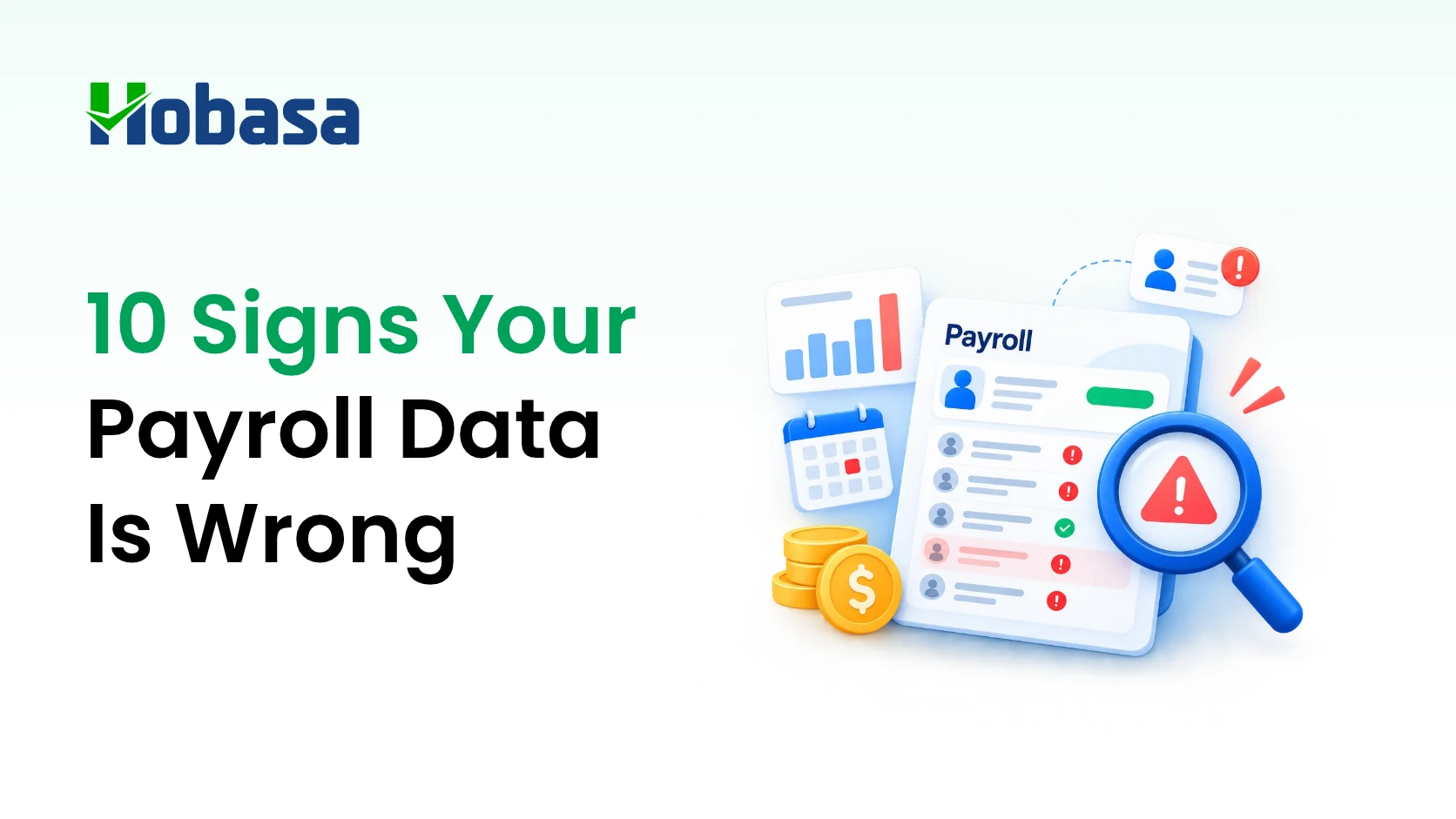
- Payroll data errors are bad inputs, not bad math: wrong rates, late status changes, missed terminations, misclassified workers, and hours that don't match the schedule.
- Ten signs point to them, and most are only visible when payroll is compared with the HRIS, time records, and the general ledger.
- Payroll software executes what it is given. The check has to happen outside it.
- Payroll data validation before each run and payroll reconciliation after it cover most of the risk.
- A cross-system layer like Hobasa surfaces where payroll and HR or finance records disagree. It does not process payroll or replace payroll software.
- Below: definitions, what errors cost, the ten signs, a validation checklist, a reconciliation routine, where payroll vs HR data drift apart, and what to do when you find a discrepancy.
Quick Answers
What are payroll data errors? Payroll data errors are incorrect, missing, or out-of-date inputs that feed a payroll run, such as a wrong pay rate, a missed termination, or a misclassified worker. They are different from calculation errors, where correct inputs are multiplied wrongly.
How do you check payroll data accuracy? Compare each payroll run against at least three other records: the HRIS for headcount, status, dates, and rates; time or schedule records for hours; and the general ledger for labor cost. Review exceptions first, then totals.
What is payroll reconciliation? Payroll reconciliation is comparing payroll results against another source that should agree, such as headcount against the HRIS, labor cost against the general ledger, and tax liability against deposits.
What Are Payroll Data Errors?
Payroll data errors are incorrect, missing, or out-of-date inputs that feed a payroll run, such as a wrong pay rate, a missed termination, a misclassified worker, or hours that don't match the schedule.
They are not the same as calculation errors. If the inputs are right and the software multiplies them wrong, that is a calculation error. If the software multiplies the wrong inputs correctly, that is a data error.
Payroll specialists commonly note that anomalies tend to start upstream, in the data fed to payroll, rather than in the calculation itself. That is why payroll data errors can survive for months: every run looks internally consistent.
A few terms get used interchangeably, so here is how they differ.
| Term | Plain-English meaning |
|---|---|
| Payroll data errors | Bad, missing, or stale inputs feeding a payroll run |
| Payroll discrepancies | Differences between payroll and another record that should agree |
| Payroll data validation | Checking inputs before the run |
| Payroll reconciliation | Comparing results after the run against other records |
| Payroll vs HR data | The two records of the same employee that can drift apart |
Why Payroll Data Goes Wrong Upstream
Most payroll errors start before payroll ever runs. A few causes show up again and again.
Late or unapproved HR changes. A raise is approved but not entered. A promotion happens, but the new rate never reaches payroll.
Manual re-entry. Someone retypes data from one system into another, and a digit slips.
Incomplete time data. Hours arrive missing, unapproved, or edited without a trail.
Classification set once, never revisited. A worker is coded at hire, then the role changes.
Events that never reach payroll. Terminations, leaves, and rehires are recorded in the HRIS only.
Partial integrations. Two systems are connected, but some fields arrive late or not at all.
Payroll software is built to run payroll correctly on the rules and data it has. It is not built to confirm that the data still matches reality elsewhere. We cover that boundary in Payroll Software Solutions: A 2026 Buyer's Guide.
What Payroll Data Errors Cost
The direct cost of payroll errors is measurable. A 2022 EY survey of companies put the average payroll accuracy rate at about 80%, and the average cost to correct a single error at $291. Those are survey averages, not a prediction for any one company.
The indirect costs are harder to count. Off-cycle runs, employee questions, and time spent chasing explanations all add up before any penalty enters the picture.
Tax is one place where a data error turns into a penalty. Under IRS failure-to-deposit rules (Internal Revenue Code section 6656), penalties range from 2% to 15% of the underpaid deposit, depending on how late it is. If wage data is wrong, the tax deposited can be wrong too.
This is general information, not tax or legal advice. Confirm specifics with your payroll provider or a tax professional.
10 Signs Your Payroll Data Is Wrong
All examples below are illustrative and fictional.
1. Payroll headcount doesn't match HRIS headcount
The pay register lists 212 people. The HRIS shows 207 active employees. Nobody has an explanation ready.
Status definitions often differ between systems. Leave, contractors, and rehires get counted one way in payroll and another in HR. Timing matters too: a change entered after the cutoff lands in the next run.
What to check: compare headcount by employment status in both systems for the same date. Then list the names that appear in only one.
The same pattern shows up outside payroll. See 10 Signs Your Business Is Losing Money Between Systems in 2026.
2. Gross pay swings from run to run with no known cause
Gross pay is up 9% on the last period. No hiring, no raises, no bonus cycle.
Common causes are an earnings file loaded twice, a rate change applied to the wrong group, or retroactive pay entered as regular pay.
What to check: compare each run against the previous one, both in total and employee by employee. Totals can hide offsetting errors, while employee-level movement exposes them. Set a threshold your team agrees is material, and explain everything above it before approval.
3. Overtime sits where the schedule says it shouldn't
A distribution center's schedule shows two evenly staffed shifts. Payroll shows heavy overtime on only one of them.
Possible causes include time edits without approval, shift swaps that were never recorded, and overtime rules configured differently than intended.
What to check: compare scheduled hours to paid hours by team. Flag overtime where the schedule shows the people were not scheduled long enough to earn it.
4. The same amount appears twice
An employee receives identical gross pay in two consecutive off-cycle runs. A bonus shows up in two periods.
Duplicate payments usually come from a file uploaded twice, a correction run on top of a regular run, or a retroactive adjustment applied more than once.
What to check: scan for identical amounts per employee in adjacent runs, and tie every off-cycle payment to a documented approval.
Payroll is one of the areas where financial leakage tends to hide. Detecting and Preventing Financial Leakage: How to Plug the Gaps covers the wider pattern.
5. Pay rates don't match HRIS compensation
A raise was approved in the HRIS in March. In June, payroll is still paying the old rate. Or the reverse: payroll was updated, and the HRIS still shows the old figure.
This happens when approved changes are re-keyed by hand, or when effective dates differ between systems.
What to check: compare rate and effective date, field by field, for everyone with a compensation change in the last quarter.
6. People are paid after they leave, or before they start
A termination is recorded in the HRIS but never reaches payroll. The next run pays the full period.
The mirror image is a new hire paid before the start date, or a rehire reactivated with stale details.
What to check: compare termination dates to last pay dates, and start dates to first pay dates. Final-pay timing rules vary by state, so confirm the correct handling with payroll or counsel.
7. Classification doesn't match the work
Under the Fair Labor Standards Act, job titles do not determine whether an employee is exempt from overtime. What matters is how the person is paid and the work they actually do.
A mismatch looks like a salaried employee marked exempt who works hourly-style shifts, or a contractor scheduled and supervised like an employee.
What to check: compare classification in payroll, classification in the HRIS, and how the person is actually scheduled and managed. Involve counsel or a payroll specialist on any change. This is general information, not legal advice.
8. Payroll has records with no match in the HRIS or ATS
An ID on the register has no hire record behind it. People sometimes call this a ghost employee.
Usual causes are an unfinished onboarding, a test record left active, or an add that skipped the normal approval path.
What to check: confirm every payroll ID maps to an approved HRIS record, and for new hires, to an accepted offer in the applicant tracking system.
9. Labor cost in the ledger doesn't tie to the payroll register
The general ledger shows one number for salaries and wages. The register shows another. The difference gets labeled "timing" every month.
Typical causes are mapping drift, accrual timing, employer taxes or benefits split inconsistently, or a pay run that was never posted.
What to check: reconcile the register to the ledger's labor accounts each period, and explain every difference.
This is the payroll-to-ledger check described as check 7 in CFO Dashboard Examples: The 10 Checks Hobasa Runs on Every Client. For why connected systems can still drift, see Financial Data Integration: What It Means and Why It's Harder Than It Sounds.
10. Corrections have become routine, and they cluster
Off-cycle runs happen every month. The same departments keep appearing. HR keeps a spreadsheet of "payroll fixes."
Repeated payroll errors point to an upstream data problem that was patched, not fixed. At $291 per error on average, per the EY survey, patching adds up.
What to check: log every correction with its root cause. Patterns point to the system or step that needs to change.
See Payroll Checked Against HR and Finance Data
Explore the Hobasa platform to see how records from separate systems get compared, with the source behind every finding.
Explore the Hobasa PlatformPayroll Data Validation: A Pre-Run Checklist
Payroll data validation means checking the inputs before the run, while errors are still cheap to fix.
One principle helps: review exceptions before totals. Totals can look reasonable while individual records are wrong.
| Check | What to compare | What to look for |
|---|---|---|
| New hires | HRIS and ATS hires vs payroll adds | Missing, duplicate, or unapproved adds |
| Terminations and leave | HRIS events vs payroll status | Anyone still active who shouldn't be |
| Rate and compensation changes | Approved changes vs payroll rates | Changes missing or on the wrong effective date |
| Time and overtime | Schedules and approved time vs hours loaded | Unapproved edits, overtime outliers |
| Deductions and benefits | Enrollment changes vs payroll deductions | Changes not reflected |
| Classification | Payroll vs HRIS classification | Mismatches and recent changes |
| Variance | This run vs the prior run, by employee and in total | Movement above your threshold without an explanation |
Payroll Reconciliation: What to Compare After Every Run
Payroll reconciliation catches what validation missed. The cadence below is a reasonable starting point, not a rule. Adjust it to your volume and risk.
| Compare | Against | Suggested cadence |
|---|---|---|
| Payroll register headcount | HRIS active headcount | Every run |
| Gross and net pay | Bank funding | Every run |
| Labor cost by department | General ledger labor accounts | Every period |
| Tax liability | Tax deposits and filings | Every deposit and filing cycle |
| Deductions withheld | Provider invoices and remittances | Monthly |
| Corrections issued | Root-cause log | Monthly |
Treat any unexplained difference as a payroll discrepancy to investigate, not a rounding issue to absorb.
Payroll vs HR Data: Where the Two Records Drift Apart
Payroll and HR describe the same person in two places. The HRIS is usually the system of record for who the employee is. Payroll is the record of what was paid.
They drift in predictable ways.
| Field | Usually owned by | Typical drift |
|---|---|---|
| Employment status | HRIS | A leave or termination never reaches payroll |
| Start and end dates | HRIS | Entered late, or payroll uses a different effective date |
| Pay rate and job | HRIS for approval, payroll for execution | An approved change isn't loaded |
| Work location | HRIS and payroll | A move isn't reflected in payroll |
| Classification | HRIS and payroll | Set once, never revisited |
| Hours | Time system | Edits made without approval |
Agree on which system owns each field, and which one wins when they disagree. Without that rule, every discrepancy becomes a debate.
If HR leaders already feel buried in conflicting workforce numbers, The HR data dilemma: 5 ways HR leaders can turn data chaos into clarity covers the wider problem.
What to Do When You Find a Payroll Discrepancy
Finding one is the easy part. Handling it well takes a routine.
1.Contain it. Don't overwrite numbers to make them match. First understand which record is wrong.
2. Trace it to the source. Find the specific record, change, or event that created the difference.
3. Decide which system is right. Name the owner of the field and let them correct it at the source.
4. Fix the source, then reprocess. Correcting only payroll leaves the HRIS wrong, and the error returns.
5. Log the root cause. A correction without a recorded cause will repeat.
6. Add a check. Turn the finding into a validation or reconciliation step.
7. Involve a professional where tax or wage law is affected. Underpayments, misclassification, and late deposits carry their own rules.
Where Hobasa Fits in Payroll Data Accuracy
Hobasa is not payroll software. It doesn't calculate pay, file taxes, deposit salaries, or correct records. It is a cross-system intelligence platform that reads payroll alongside HRIS, recruiting, and finance data, and surfaces where they disagree.
Several of the signs above are the kind of disagreement a cross-system layer is built to surface: headcount, rates, dates, classification, and ledger tie-out.
Here is what that looks like in practice.
Payroll Anomaly Score. A KPI that flags unusual pay, hours, or classification patterns for review.
Regulatory Compliance Risk. A view of exposure across labor, tax, and workforce reporting obligations, calculated through compliance monitoring rather than a model.
Both numbers kept. Every system maps into one comparable model. When two systems disagree, Hobasa keeps both numbers and treats the disagreement as the finding.
Source-grounded and reviewed. Findings link back to the records behind them, and a qualified reviewer validates each one before it reaches you.
Read-only by default. Access is scoped to what the checks need. Write access is only granted where you ask for it.
Payroll Anomaly Score is one of six workforce signals covered in CHRO Dashboard: The Workforce Metrics Every CHRO Should Track.
Hobasa connects to payroll and HR platforms including ADP Workforce Now, Paycom, Paylocity, Rippling, UKG Pro, and Dayforce, and to accounting and ERP systems including QuickBooks Online, NetSuite, and Sage Intacct. See the full list on the integrations page.
Who feels payroll data errors first? Agencies running high-volume timesheet-to-payroll chains tend to. Hobasa's staffing agency page describes a mismatch proof packet before payroll close.
Advisors reviewing payroll across several clients face the same problem at scale. See how Hobasa works with CPA and advisory firms and fractional CFOs.
Bring a payroll run you want checked.
See which payroll and HR systems Hobasa connects to and which of your records it could compare.
Get in touchConclusion
Payroll data errors are easy to miss because every run looks consistent with itself. The numbers only look wrong when payroll is set beside HR, the schedule, and the ledger.
Build two habits: validate inputs before each run, and reconcile results after it. Keep a person reviewing the exceptions. Most payroll errors are cheap to fix when found in the same pay period, and expensive when found at year end.
Improve Your Payroll Data Accuracy
Talk to the Hobasa team about the payroll records you reconcile by hand. Get in touch and bring one mismatch you have already found.
FAQs
Payroll data errors are incorrect, missing, or out-of-date inputs that feed a payroll run, such as a wrong pay rate, a missed termination, or a misclassified worker. They differ from calculation errors, where correct inputs are processed incorrectly.
Compare each run against at least three other records: the HRIS for headcount, status, dates, and rates; time or schedule records for hours; and the general ledger for labor cost. Review exceptions before totals, and explain every difference above a set threshold.
Payroll data validation is checking the inputs to a payroll run before it processes. It covers new hires, terminations, rate changes, time and overtime, deductions, classification, and period-over-period variance, so errors are caught while they are still cheap to fix.
Payroll reconciliation compares payroll results with other records that should agree, such as the HRIS headcount, the bank funding, the general ledger, and tax deposits. Headcount and funding checks suit every run. Ledger and tax checks suit every period or filing cycle.
Common causes include late or unapproved HR changes, manual re-entry between systems, incomplete time data, classification set once and never revisited, termination or leave events that never reach payroll, and integrations that sync only part of the data.
HR data describes who the employee is: status, dates, role, and approved compensation. Payroll data records what was actually paid. They describe the same person, so they should agree, and they drift when changes in one system don't reach the other.
Generally only within the data entered into the platform itself. Payroll software calculates pay from the rules and inputs on file. It isn't built to confirm those inputs still match the HRIS, the schedule, or the general ledger.
No. Hobasa doesn't process payroll, file taxes, or deposit pay. It connects to payroll, HR, and finance systems, reads across them, and flags where they disagree. Access is read-only by default.