- Automation moves data faster. It does not tell you whether the data is right. Add a check between the data pull and the report.
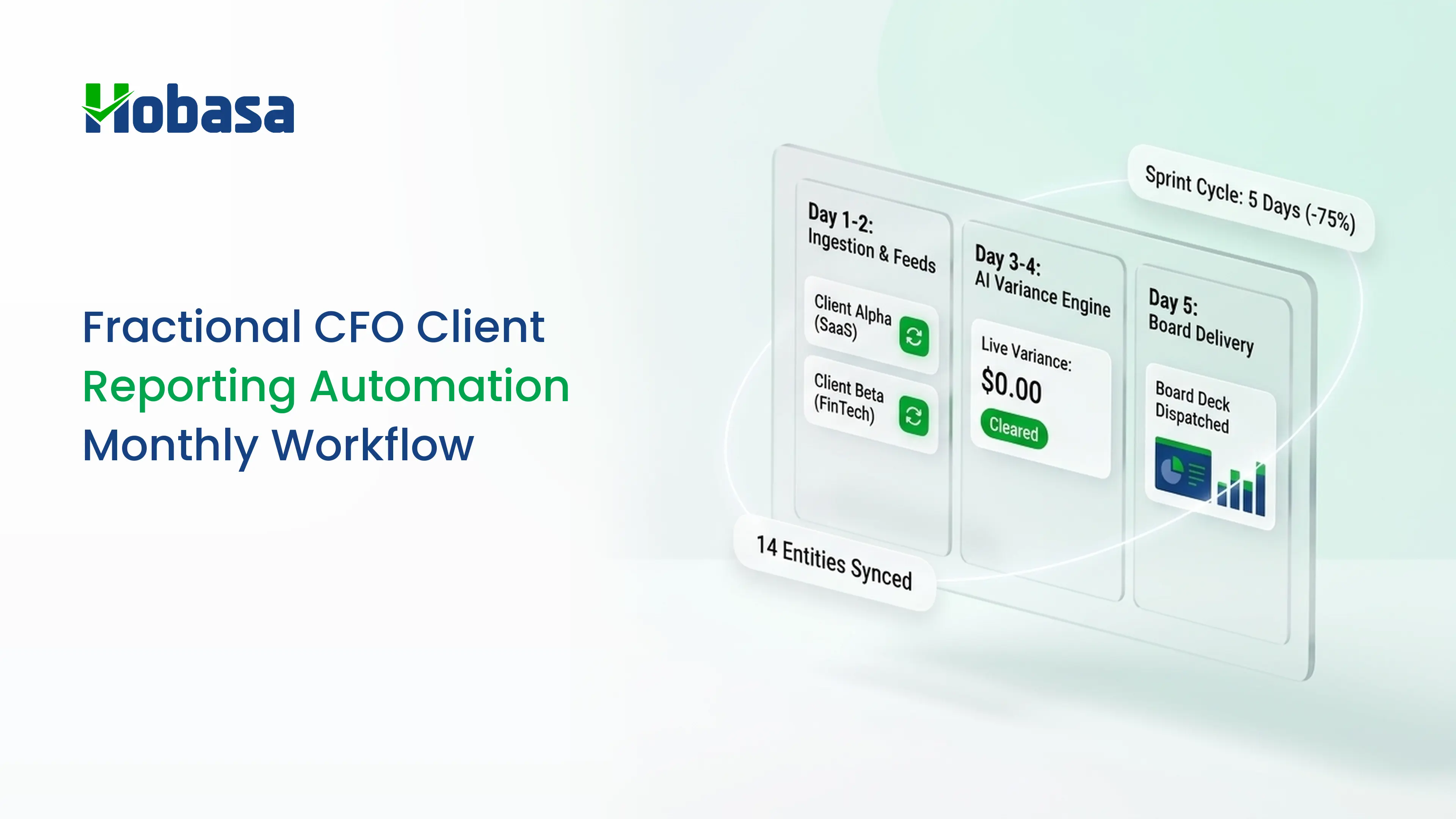
- The monthly workflow has seven steps (calendar, template, automated pull, data check, commentary, delivery, follow-up), plus a weekly portfolio scan between cycles.
- Automate collection, formatting, and distribution. Keep commentary, judgment, and the client conversation human.
- Many reporting errors sit between systems: payroll against the ledger, duplicate payments across entities, and mapping changes after a chart of accounts edit.
- Vendors publish time-saving figures with little evidence. Measure your own before and after.Add a 'data quality notes' section to every report. It shows clients what you checked and builds trust.
Fractional CFO client reporting automation gives back the hours that go to copying, formatting, and chasing numbers, so you can spend them on commentary and advice.
But most guides stop at the data pull. They show you how to connect an accounting system to a spreadsheet and call the job automated. They skip the step that decides whether the report is right: checking that the numbers agree before they reach your client.
This guide lays out an eight-part monthly workflow for a multi-client practice, a report outline, a commentary format, a review call agenda, a ten-point data check, and a way to measure whether automation is working.
What Is Client Reporting Automation for Fractional CFOs?
Client reporting automation for fractional CFOs is the use of connected systems and templates to collect each client's financial data, build the monthly report, and deliver it on a schedule, so that the CFO's time goes to review, commentary, and advice.
It covers three jobs:
- Collection. Pulling actuals from each client's accounting system on a schedule.
- Generation. Building the same report structure for every client from that data.
- Distribution. Sending the report and tracking what was delivered.
It does not cover judgment. Deciding what matters, explaining why numbers moved, and advising on what to do next stay with you.
You will also see the same idea called automated client reporting, financial reporting automation, or simply how to automate financial reporting. The labels differ. The job is the same: move the repetitive work to software and keep the thinking.
Why Reporting Is the Bottleneck in a Multi-Client Practice
Every new client brings a different accounting setup, a different payroll provider, and a different chart of accounts. The report is where all of that has to line up.
Capacity is the constraint across advisory practices. In the CPA.com and AICPA 2024 survey of client advisory practices, firms named staffing as their top obstacle. For background on that market, see CAS practices.
Reporting is also the most repeatable work you do. That makes it the best candidate for automation, as long as you automate it carefully.
Why Automation Alone Isn't Enough
When the data pull is automatic, errors travel faster. A report that refreshes itself will refresh a wrong number just as reliably as a right one.
The report looks fine because the tool shows what it received. It has no way to know that a payroll run never posted, that a vendor was paid twice, or that someone changed an account mapping last week.
Four problems come up again and again in multi-client practices:
- Unposted or misposted entries. A payroll run or a recurring entry missing from the ledger.
- Duplicates. The same vendor invoice paid twice, sometimes across two entities.
- Mapping drift. A chart of accounts change that quietly moves amounts between lines.
- Stale reconciliations. A period that was never locked, so numbers keep changing.
Illustrative example. A client's monthly pack shows operating margin steady. Behind it, the same vendor invoice was paid once from each of two related entities. Each entity's books look normal, and no single report shows a problem. The duplicate only appears when the two are compared.
The example is fictional.
For why books alone are rarely enough, see QuickBooks reports, disconnected finance systems, and financial data integration.
The Monthly Client Reporting Workflow
This is the client reporting best practices version: the same seven steps for every client, every month.
| Step | What happens | Automated? | Output |
|---|---|---|---|
| 1. Calendar and tiers | Set due dates, period lock, and a service tier per client | Partly | Reporting calendar |
| 2. Template | One report structure for all clients | Yes, once built | Master template |
| 3. Data pull | Scheduled refresh from each client's accounting system | Yes | Current actuals |
| 4. Data check | Compare records and flag exceptions | Partly | Exception list |
| 5. Commentary | Explain what changed and why | No | Written commentary |
| 6. Delivery and call | Send the report, then walk through it | Delivery yes, call no | Delivered report, decisions |
| 7. Follow-up | Track open items to the next cycle | Partly | Open-items log |
1. Set the calendar and the tiers
Not every client needs the same report. A bookkeeping-only client may need a package and no call. An advisory client needs a package plus a review. A multi-entity client needs consolidation.
Write the tiers down. Set a close date, a period lock date, and a delivery date for each client, so the data you pull is final.
2. Standardize one template
Use the same report structure for every client, and map each client's chart of accounts to it once. Customize only where a client truly needs it. Consistency is what makes a multi-client review fast. The next section gives the outline.
3. Automate the data pull
To automate the reporting process without losing control, connect each client's accounting system to your reporting tool or spreadsheet, and schedule the refresh after the period lock date.
Keep a simple log of which connection feeds which client, and who owns it. A broken connection that nobody notices is worse than a manual process.
4. Check the data before you report
This is the step most workflows skip. Before you write a word of commentary, run the ten checks later in this guide and log what you find.
Think of it as a financial report review that happens before the report exists, not after. Review exceptions first instead of reading every line. Fix problems at the source system. If something material cannot be resolved, say so in the report instead of presenting it as clean.
5. Write the commentary
Commentary is where your value shows. Use the three-part format below, and keep it the same every month.
6. Deliver and hold the review call
Send the report before the call so the call can focus on decisions. Use a consistent agenda. A sample is below.
7. Track follow-ups
Anything flagged but not resolved should carry into next month with an owner and a date. Without this, the same issues reappear in every review.
Between cycles: a weekly portfolio scan
Do not wait for month-end to find problems. Once a week, scan the whole portfolio for exceptions: a cash balance moving the wrong way, receivables aging, an unusual payment. Put clients with flags on that week's list, and leave the rest.
The scan is exception-first by design. It keeps your attention on the clients that need it, and it makes the monthly check shorter.
Spend Less Time Preparing Reports
Automate repetitive reporting work and spend more time reviewing financial performance and advising your clients.
Explore HobasaWhat Goes in the Monthly Report
A good monthly financial reporting package follows the same management report template for every client. Here is an outline you can adapt.
| Section | What to include | Why |
|---|---|---|
| 1. Summary | Three bullets: what changed, what matters, what you recommend | Clients read this first |
| 2. KPI snapshot | Six to eight KPIs (see below) | Consistent across clients |
| 3. Profit and loss | Against the prior period and, where one exists, the client's plan | Shows the movement |
| 4. Balance sheet highlights | Cash, receivables, payables, debt | Liquidity at a glance |
| 5. Cash flow | Cash in and out, and what is coming | The question owners ask most |
| 6. Variance notes | Explanations for lines above your threshold | Turns data into insight |
| 7. Data quality notes | What you checked, what you found, what is open | Builds trust. Most reports skip this |
| 8. Actions | Owner and due date for each action | Makes the report operational |
For the KPI snapshot, pick a stable set per client type. Examples: gross margin, operating margin, cash conversion, receivable days, and labor cost as a percentage of revenue. Keep definitions identical across clients so a KPI report template reads the same everywhere. For ideas, see our CFO dashboard checks.
How to Write the Commentary
Use three parts every time:
1. What changed. The number and the direction.
2. Why. The driver, in one or two sentences.
3. What to do. One recommended action, with an owner.
Illustrative commentary. Gross margin fell 1.8 points this month. Contractor costs grew faster than billings after two new projects started. Recommend reviewing contractor rates against the project budgets before the next billing cycle. Owner: client operations lead.
The figures are fictional.
Keep each item to two or three sentences. Put the most important item first. If the data check found an unresolved issue that affects a number, say so here.
How to Run the Review Call
Send the report ahead of time. Then use the call for decisions, not for reading numbers aloud. One practitioner playbook suggests a consistent 30 to 45 minute format. Pick a length and keep it stable.
| Minutes | Item | Purpose |
|---|---|---|
| 0 to 5 | Headline: the three summary bullets | Align on what matters |
| 5 to 20 | The two or three biggest movements | Explain drivers |
| 20 to 30 | Data quality notes and open items | Show what was checked |
| 30 to 40 | Decisions and actions | Assign owners |
| 40 to 45 | Next month's priorities | Set expectations |
What to Automate and What to Keep Human
| Task | Automate? | Why |
|---|---|---|
| Pulling actuals from the accounting system | Yes | Repetitive and rule-based |
| Applying the template and formatting | Yes | Consistency across clients |
| Scheduling and sending reports | Yes | Removes missed deadlines |
| Refreshing KPIs | Yes | Same formulas every month |
| Flagging unusual items and mismatches | Partly | Software finds candidates, a person judges them |
| Deciding whether a flagged item matters | No | Needs client context |
| Writing commentary | No | This is the advisory work |
| The client conversation | No | Judgment and trust |
A decision rule: automate anything where the right answer is the same every month. Keep human anything where the right answer depends on the client.
A 10-Point Data Check Before You Send the Report
Run this for every client, every month. Each check says how to run it, what it typically finds, and why a single tool tends to miss it.
| # | Check | How to run it | A typical finding | Why one tool misses it |
|---|---|---|---|---|
| 1 | Reconciliation and period lock | Confirm bank and card accounts are reconciled and the period is closed | Transactions dated after the lock change the numbers | A reporting tool shows whatever the ledger holds |
| 2 | Payroll against the ledger | Compare payroll register totals with labor cost posted | A payroll run that was not posted, or posted twice | Ledger-only tools see only the ledger |
| 3 | Headcount | Compare active employees in the HR system with employees paid | A terminated employee still paid, or a new hire missing | Needs HR and payroll records together |
| 4 | Duplicate payments | Search for the same vendor, amount, and a date window, across entities | One invoice paid in two entities | Each entity's books look normal on their own |
| 5 | Unusual entries | List large manual journals near period end and entries by unusual users | A round-number accrual with no support | Totals hide individual entries |
| 6 | Mapping changes | Compare the chart of accounts and report mapping with last month | Amounts moved between report lines | The new mapping looks normal |
| 7 | Cut-off | Check invoices and expenses dated near period end | Revenue booked in the wrong month | Totals look plausible |
| 8 | Intercompany | Confirm balances between related entities agree | An imbalance in due-to and due-from accounts | Needs both entities' books |
| 9 | Variance explanations | Every line above your threshold has a reason | An unexplained large movement | Software flags it. A person explains it |
| 10 | Open items | Last month's issues are resolved or carried forward | The same issue recurs | Needs memory across cycles |
Checks 2, 3, 4, and 8 involve more than one system. That is where single-tool automation is weakest, and for multi entity reporting, check 8 matters most. For the payroll checks in detail, see payroll errors.
Keep an exception log
Record every exception, even small ones. A simple log is enough.
| Date | Client | System | What was found | Source record | Owner | Status | Due |
|---|---|---|---|---|---|---|---|
| (date) | (client) | (accounting, payroll, HR) | (description) | (invoice, entry, or row) | (name) | Open or resolved | (date) |
After two or three cycles the log shows patterns, such as a client whose payroll posting breaks every quarter. Fix those at the source.
Check the Data Behind Your Reports
Compare financial records across accounting, payroll, and HR systems to identify discrepancies before they reach your client reports.
See How Hobasa WorksTools for Each Step and How to Choose
No single product covers the whole workflow. Most practices combine a few categories.
| Step | Tool category | What to look for |
|---|---|---|
| Data pull | Reporting tool, spreadsheet connector, or FP&A tool | Multi-client support, scheduled refresh, reusable templates |
| Template and reporting | Reporting and dashboard software | A client reporting dashboard that standardizes layout. Compare in our guide to financial reporting tools |
| Workflow and tracking | Practice management | See our guide to CAS software |
| Data check | A cross-system comparison layer | Covered below |
| Delivery | Client portal or email automation | Match to client preference |
Questions to ask any vendor:
1. Can one login manage many clients, and can templates be reused across them?
2. Which accounting and payroll systems connect natively?
3. What happens to data when a connection breaks?
4.Is access read-only?
5. Can a client's data be separated from others?
6. How are exceptions surfaced, and who reviews them?
7. What exactly does the "hours saved" figure measure, and for which kind of client?
8. What does implementation require from us?
How to Measure Whether Automation Is Working
Vendor figures vary widely and are rarely sourced, so run your own test. Measure one manual month, then two automated months, for the same clients.
| Metric | How to measure | Direction you want |
|---|---|---|
| Preparation time per client | Time from period lock to a report ready for review | Falls and stays stable across clients |
| Exceptions found per cycle | Count from your data check | Higher at first, then falls as sources are fixed |
| Corrections after delivery | Number of revisions sent to the client | Falls toward zero |
| Days from close to delivery | Calendar days | Meets the promise for each tier |
| Open items older than two cycles | Count from the exception log | Falls |
| Client questions that reveal an error | Count | Falls |
Do not judge the project by speed alone. A report delivered faster with more corrections is not an improvement.
Common Reporting Automation Mistakes
Automating a messy process. Fix the template and the mapping first. Automation locks in whatever you give it.
Skipping the data check. The report looks polished, so errors look credible.
A different template per client. It removes most of the time savings.
Burying exceptions in a dashboard. Put what needs attention at the top of the report.
Dropping the commentary. A report without explanation is a data dump, not advisory.
Trusting vendor time-saving figures. Measure your own.
Forgetting the weekly scan. Problems then wait until month-end.
For how AI fits this work responsibly, read:
Read also: AI in Accounting: Why Source-Grounded Beats Black Box for CPA Firms
The Role of Hobasa in a Fractional CFO Reporting Workflow
Hobasa is not reporting software, accounting software, or a forecasting tool. It does not build your client report.
Its role is the data check. Hobasa is a cross-system intelligence layer for fractional CFOs: it reads across each client's accounting, payroll, HR, and operational systems and surfaces where they disagree, so the numbers feeding your reporting tool can be checked.
Where it helps
| Workflow moment | What Hobasa does |
|---|---|
| Weekly portfolio scan | One review surface across your clients, with drill-down into any one of them. Anomalies are flagged continuously |
| Data check (step 4) | Compares payroll with accounting, HR with finance, and operations with the general ledger. Flags duplicate payments and policy breaks against your rules |
| Commentary (step 5) | "What changed and why" analysis gives a starting explanation across revenue, costs, and margins |
| Follow-up (step 7) | Tracks open items, identified issues, and compliance gaps from one review to the next |
| KPIs | Calculates finance KPIs from connected systems, including Revenue Leakage %, Cash Conversion Ratio, and Operating Profit Margin |
Every finding cites the exact record it came from, and an analyst reviews it before it reaches you. Access is read-only by default. Hobasa works alongside your existing tools and is delivered as a managed layer with people supporting your firm.
What a finding looks like
Illustrative finding.
- Question: Why did vendor spend rise across the two entities this month?
- Finding: The same invoice appears to have been paid once by each entity.
- Sources: Entity A ledger, bill record. Entity B ledger, bill record.
- Status: Reviewed by analyst before delivery.
The finding is fictional.
When it is a good fit, and when you do not need it
Hobasa is most useful when you run three or more clients, when clients have payroll or HR systems beyond the ledger, when some have multiple entities, and when you want findings that cite their source records.
You may not need it with one or two clients on a single accounting system, or if all you need is a report template. It is also not a planning or forecasting tool.
Hobasa connects to systems including QuickBooks Online, NetSuite, Sage Intacct, Zoho Books, ADP Workforce Now, Workday, and Rippling. See integrations. If a client's system is not listed, the team can confirm how quickly it can be connected.
Learn more about Hobasa for fractional CFOs and CPA firms, or see how Hobasa is different.
See what your reports can't see
Explore the platform to see how records from separate systems are compared, with the source behind every finding.
Explore the platformHow to Start: A 30-Day Plan for Three Clients
Week 1: pick three clients with different complexity, write their tiers and dates, and build one template with a data quality section.
Week 2: connect each client's accounting system to your reporting tool and test the refresh after the period lock.
Week 3: run the ten-point check on all three and log every exception, even small ones.
Week 4: deliver the reports, hold the calls, and record the metrics above. Compare against your last manual month.
Start with three clients, not thirty. The goal is a workflow you trust, not a rollout.
Conclusion
Fractional CFO client reporting automation works best when repetitive tasks are automated and human judgment stays with the CFO. A standard template, scheduled data pulls, a data check, and a consistent follow-up process make monthly reporting more reliable.
Start with three clients, measure the results, and use the data check to catch problems before they reach your clients.
See what your reports can't see.
Explore the platform to see how records from separate systems are compared, with the source behind every finding.
FAQs
It is the use of connected systems and templates to collect each client's financial data, build the monthly report, and deliver it on a schedule. The CFO's time then goes to review, commentary, and advice instead of copying and formatting numbers.
They set a reporting calendar, build one master template, connect each client's accounting system to a reporting tool, run a data check, write commentary, deliver the report, and track follow-ups. Collection, formatting, and delivery are automated. Judgment is not.
A summary, a KPI snapshot, the profit and loss, balance sheet highlights, cash flow, variance notes, data quality notes, and actions with owners. Keep the structure the same for every client so reviews are fast.
You can automate collection, formatting, and delivery. You should not automate judgment. Deciding whether a flagged item matters and writing the commentary depend on client context, and they are the advisory part of the work.
There is no standard. One vendor playbook estimates 8 to 12 hours per client per month for a straightforward engagement, but it gives no source. Measure your own time before and after automating.
Most combine an accounting platform, a reporting or FP&A tool with multi-client support, a spreadsheet connector, and practice management. A cross-system comparison layer helps check data before it reaches the report. No single product covers every step.
Use one master template, map each client's chart of accounts to it once, and customize only when necessary. Keep KPI definitions identical and use a standard commentary format, so clients know where to look.
Compare records instead of trusting totals. Check reconciliation status, payroll against the ledger, headcount against payroll, duplicate payments, unusual entries, mapping changes, cut-off, intercompany balances, variance explanations, and open items. Log every exception.
There is no standard. One practitioner playbook suggests 30 to 45 minutes with a consistent format. Send the report beforehand so the call can focus on decisions instead of reading numbers aloud.
It reduces manual copy and formatting errors. It does not catch errors that exist in the source systems, such as an unposted payroll run or a duplicate payment. That is why a data check belongs between the data pull and the report.
Track preparation time per client, exceptions found per cycle, corrections after delivery, days from close to delivery, and open items older than two cycles. Compare one manual month with two automated months.
No. Hobasa is not reporting, accounting, or forecasting software. It reads across a client's accounting, payroll, and HR systems and flags where they disagree, so the numbers feeding your reporting tool can be checked. Access is read-only by default.