- There is no single best workforce planning software for CHROs. The right choice depends on whether your plan is led by HR, Finance, skills, org design, or frontline scheduling.
- The ten tools fall into five segments: HR-led, skills-based, finance-linked, HCM suites, and operational.
- Most organizations still plan short term. McKinsey's HR Monitor 2026 found only 11% take a long-term perspective, while Gartner reports 42% of CHROs list strategic workforce planning as a top priority.
- Plans usually fail on the baseline, not the model. When HRIS, payroll, and finance disagree on headcount and cost, every scenario inherits the error.
- This guide compares ten tools, explains the features that matter, and shows where a cross-system data layer like Hobasa fits.
What Is the Best Workforce Planning Software for CHROs?
There is no single best workforce planning software for CHROs. The best fit depends on who leads the plan and what you are planning.
- HR-led teams that want analytics behind the plan often shortlist Visier.
- People Ops teams that plan around the org chart often start with ChartHop.
- Companies redesigning the organization look at Orgvue.
- Skills-based planning and internal mobility point to Eightfold AI.
- HR and Finance planning together points to Workday Adaptive Planning, Anaplan, or Pigment.
- Enterprises already standardized on one HCM suite look at SAP SuccessFactors or ADP Workforce Now.
- Frontline and hourly workforces need planning tied to scheduling, such as UKG.
The sections below explain why.
What Is Workforce Planning Software?
Workforce planning software helps organizations forecast how many people and which skills they will need, model scenarios and costs, and close the gap between the workforce they have and the one the business requires.
You will also see it called workforce planning tools, headcount planning software, workforce forecasting software, employee workforce planning software, or strategic workforce planning software. The labels overlap, but the jobs differ.
One distinction matters most: strategic versus operational planning.
| Dimension | Strategic workforce planning | Operational workforce planning |
|---|---|---|
| Horizon | Quarters to years | Days to weeks |
| Core question | How many people and which skills will we need, and what will it cost? | Who is working when, and is coverage enough? |
| Primary users | CHRO, Finance, HR business partners | Operations managers and shift supervisors |
| Typical tools | Visier, Anaplan, Orgvue, Eightfold AI | Scheduling and workforce management tools |
This guide focuses on strategic planning. UKG is included because it connects the two.
Why Workforce Planning Is Getting Harder in 2026
Planning is rising on the CHRO agenda, but practice lags the ambition.
McKinsey's HR Monitor 2026 found workforce planning still predominantly focused on short-term headcount, with only 11% of organizations adopting a long-term perspective.
Gartner's July 2025 survey of 426 CHROs found 42% list strategic workforce planning as a top priority. Gartner notes the discipline looks three to five years out, while recruiting plans for the next year.
Confidence is low. Deloitte, citing a Gartner survey, reports only 29% of CHROs are confident they can deliver on strategic workforce planning goals.
Skills add pressure. Gartner's 2026 State of Skills research found 59% of CHROs feel skill needs are changing faster than their organizations can develop support plans.
Put together, the pattern is clear. CHROs need better planning, and the tools are only part of the answer.
Workforce Planning Software Comparison: The 10 at a Glance
The tools are grouped by segment, not ranked. Fit matters more than rank.
| Tool | Segment | Best for | Core strength |
|---|---|---|---|
| Visier | HR-led | Enterprise people analytics and planning | Analytics behind headcount forecasting |
| ChartHop | HR-led | People Ops teams | Org-chart-based headcount planning |
| Orgvue | HR-led | Large enterprises restructuring | Org design and scenario modeling |
| Eightfold AI | Skills-based | Skills-first enterprises | Skills intelligence and internal mobility |
| Workday Adaptive Planning | Finance-linked | Workday shops | HR and Finance planning on one platform |
| Anaplan | Finance-linked | Large, finance-run planning | Headcount and cost modeling at scale |
| Pigment | Finance-linked | Mid-market, finance-led planning | Flexible, collaborative scenarios |
| SAP SuccessFactors | HCM suite | SAP-centric enterprises | Planning inside the SAP environment |
| ADP Workforce Now | HCM suite | Teams on ADP | Planning close to payroll and HR data |
| UKG Pro Workforce Management | Operational | Frontline and hourly workforces | Planning connected to scheduling |
The 10 Workforce Planning Tools CHROs Shortlist in 2026
1. Visier
Best for: enterprise HR and people analytics teams that want planning backed by deep analytics.
Visier started as a people analytics platform and expanded into workforce planning. Reviewers describe coverage of headcount forecasting, attrition prediction, diversity planning, and skills gap analysis.
Strengths
- Deep workforce analytics behind each planning assumption.
- Headcount forecasting and attrition prediction in one place.
- Built for large, data-rich organizations.
Consider
- Some comparisons note it is stronger on analytics than on scenario execution or org design.
- Enterprise rollout and quote-based pricing.
Ask in the demo: show how the plan updates when the HRIS data changes, and who maintains the data model.
CHRO takeaway: strongest when you want evidence behind every assumption. For how it fares as an analytics platform, see Best HR Analytics Software for CFOs & CHROs in 2026.
2. ChartHop
Best for: People Ops and HR teams that want visual headcount planning tied to the org chart.
ChartHop is a people analytics and workforce planning platform built around the org chart. It treats headcount as structure, not a list of line items. The vendor describes multiple scenario types, approval workflows, and budget dashboards, which are vendor claims worth testing.
Strengths
- Org-chart-based visibility that non-analysts can follow.
- Scenario planning with approvals, per the vendor.
- Approachable for scaling and mid-market companies.
Consider
- Check integration depth with your specific HRIS and ATS.
- Lighter predictive modeling than analytics-first platforms.
Ask in the demo: show a new position moving from request to Finance sign-off.
CHRO takeaway: a natural fit when HR leads planning in a growing company.
3. Orgvue
Best for: large enterprises planning restructures, spans of control, and future-state org design.
Orgvue specializes in organizational design and workforce planning. Reviewers describe it as helping teams plan reorganizations, model spans of control, and map workforce supply against future demand.
Strengths
- Strong org design and scenario modeling.
- Shows how workforce decisions affect structure.
- Connects skills tagging to role-based planning views.
Consider
- Built for larger enterprises with complex needs, so it can exceed a simple headcount plan.
- Needs dedicated owners to keep models current.
Ask in the demo: build a real restructure scenario from our data, and show how it reaches Finance.
CHRO takeaway: choose it when the question is how to organize, not just how many.
4. Eightfold AI
Best for: enterprises moving from role-based to skills-based planning.
Eightfold AI is a talent intelligence platform. It builds a skills graph across the workforce and uses it for skills-based planning, internal mobility, and talent supply and demand views.
Strengths
- Skills intelligence as the planning unit.
- Internal mobility and reskilling insight.
- Fits organizations shifting away from rigid job architectures.
Consider
- Focuses on talent and skills intelligence more than org design or restructuring.
- Output depends on the quality of the skills data underneath.
Ask in the demo: show how skills are inferred and validated, and who reviews them.
CHRO takeaway: strongest when skills, not seats, drive the plan.
5. Workday Adaptive Planning
Best for: Workday shops that want HR and Finance planning from one platform.
Workday Adaptive Planning treats workforce planning as one thread within a broader planning platform that spans finance, workforce, and operations.
Strengths
- Connected workforce and financial planning.
- Natural fit with the Workday ecosystem.
- Enterprise scale and governance.
Consider
- Value is tied to being in the Workday ecosystem.
- Some comparisons note limited transformation modeling.
Ask in the demo: show a headcount plan flowing into the financial forecast, and who owns each step.
CHRO takeaway: an obvious shortlist entry when Workday is your system of record.
6. Anaplan
Best for: large organizations that plan headcount and cost together at scale.
Anaplan is an enterprise planning platform. It supports detailed scenario modeling that connects HR, finance, and operations.
Strengths
- Deep scenario modeling for headcount and cost.
- Connects planning across functions.
- Built for enterprise data volumes.
Consider
- Requires model configuration, and the platform is not headcount-specific out of the box.
- Needs people or a partner to build and maintain the models.
Ask in the demo: who builds and maintains our headcount model, and what does that cost over time?
CHRO takeaway: powerful when Finance already runs planning on Anaplan.
7. Pigment
Best for: finance-led, mid-market and scaling companies that want flexible, collaborative planning.
Pigment is a modern business planning platform. It models headcount inside a company-wide plan, so workforce cost sits beside revenue and budget.
Strengths
- Scenario analysis and cross-functional forecasting.
- Collaborative planning across Finance and HR.
- Flexible structure for changing plans.
Consider
- Workforce planning is not its only focus, so HR-specific depth is lighter.
- Pricing is custom.
Ask in the demo: show an HR-owned headcount request moving through Finance approval.
CHRO takeaway: a good pick when the CFO owns the plan and HR needs a seat at the table.
8. SAP SuccessFactors
Best for: SAP-centric enterprises.
SAP's human capital management suite includes strategic workforce planning as a core part. Its natural home is organizations whose ERP, finance, and HR data already sit in SAP.
Strengths
- Planning in the same environment as ERP, finance, and HR.
- Enterprise permissions and governance already in place.
Consider
- Value is highest inside the SAP ecosystem.
- Typically heavier than standalone tools.
Ask in the demo: which planning capabilities are native, and which need separate modules or services?
CHRO takeaway: keep it simple when SAP is already your backbone.
9. ADP Workforce Now
Best for: mid-sized organizations that want planning near the payroll and HR data they already run.
ADP Workforce Now is an HCM platform with workforce planning capabilities. Reviewers highlight payroll-integrated data and compliance context, with workforce data and execution in the same environment.
Strengths
- Planning grounded in payroll and HR data from one platform.
- Useful compliance context.
Consider
- Test scenario depth against dedicated planning tools.
- Strongest for teams already on ADP.
Ask in the demo: show a multi-scenario headcount plan and how approvals are handled.
CHRO takeaway: a pragmatic choice when your main problem is planning from clean, current people data.
10. UKG Pro Workforce Management
Best for: frontline and hourly-heavy organizations where planning must connect to scheduling.
UKG pairs workforce management with planning capabilities for frontline environments. The appeal is continuity from labor demand to schedule to headcount.
Strengths
- Connects labor demand and scheduling.
- Fits operations-driven businesses.
Consider
- Some comparisons note limited strategic workforce modeling.
- Less suited to skills or org design planning.
Ask in the demo: show how a demand forecast turns into a schedule and a headcount requirement.
CHRO takeaway: the bridge between strategic planning and the shop floor.
Also worth a look: Rippling, for headcount planning inside a broader HR, IT, and finance platform; Paylocity, for integrated headcount planning; Oracle Cloud HCM, for finance-led, enterprise-scale organizations; Deel, for global headcount scenarios; and Agentnoon, for AI-assisted org design at large enterprises.
Check the Data Behind Your Workforce Plan
Workforce planning tools model the future, but their recommendations depend on reliable starting numbers. Explore how Hobasa checks records across HR, payroll, and finance systems.
Explore the Hobasa PlatformWorkforce Planning Software Features CHROs Should Look For
Feature lists look alike. These criteria separate good fits from expensive mistakes.
Scenario modeling. You should be able to test hiring, attrition, and restructuring scenarios side by side.
Skills data. Skills-based planning is only as good as the skills inventory behind it.
HR and Finance alignment. One headcount plan with shared approvals beats two plans reconciled by hand.
Integration depth. Check connections to your HRIS, payroll, ATS, and finance system. For the finance side, see Financial Data Integration.
Data freshness. Plans built on stale data repeat the problem discussed in The Cost of Delayed Data in a World That's Constantly Changing.
Position control and approvals. Planned roles should move through a defined approval path.
AI with review. Look for explainable forecasts and a person who can review the output before it drives a decision.
Total cost. Include implementation, model maintenance, and the internal time to run it.
Workforce Analytics and Planning: How They Fit Together
People often confuse the two. Analytics describes and diagnoses what is happening in the workforce. Planning models what you want to happen next.
Workforce analytics and planning work best as a loop. Analytics supplies the baseline, such as turnover, capacity, and cost. Planning turns that baseline into scenarios and decisions.
If you are still deciding which side you need, start with Workforce Analytics Software: Metrics, Features & How to Choose and People Analytics Software: What It Is and How to Choose One.
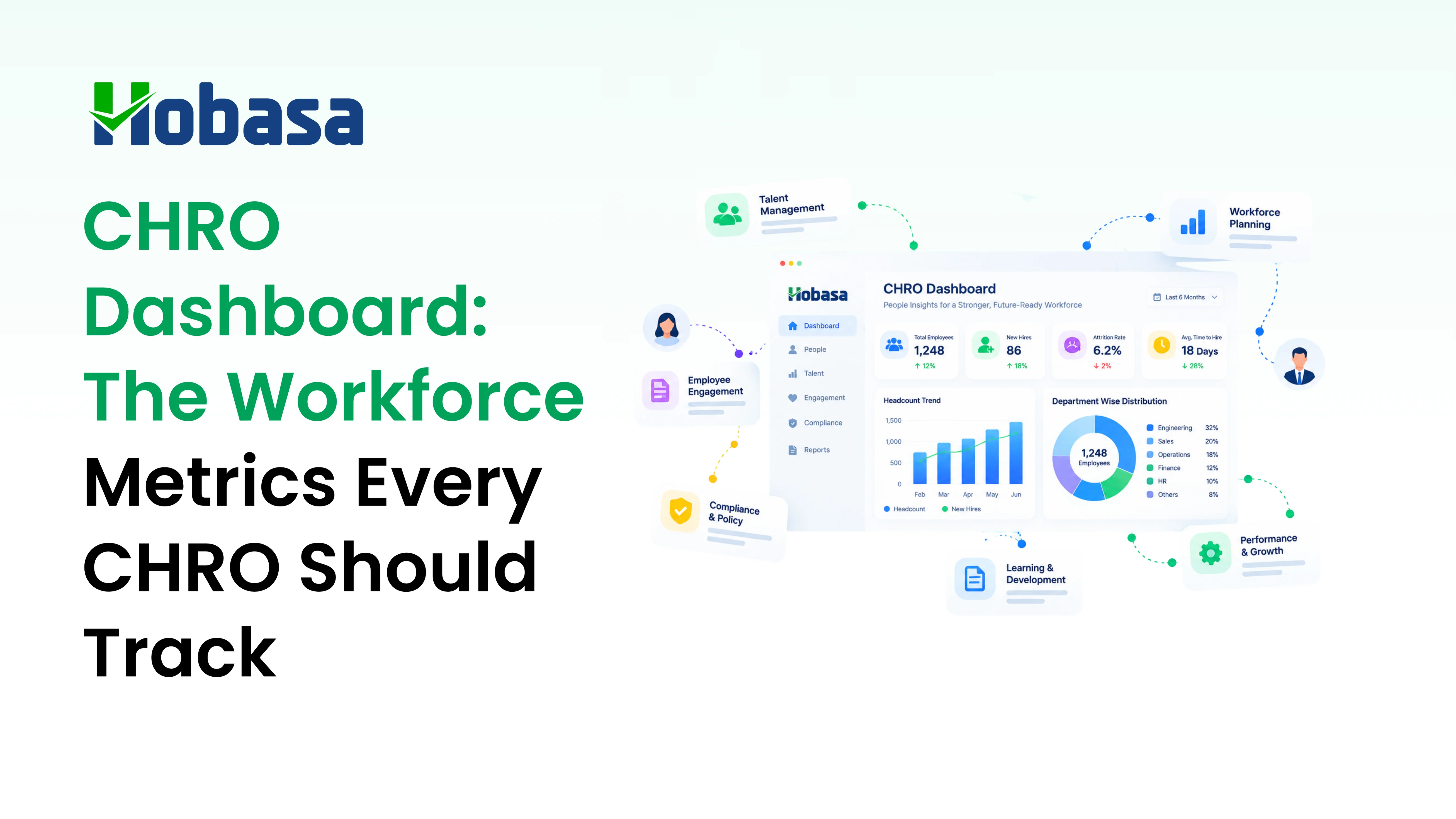
For the metrics a CHRO should watch before building a plan, see CHRO Dashboard: The Workforce Metrics Every CHRO Should Track.
Why Workforce Plans Fail: The Baseline Problem
Most planning tools assume the starting numbers are right. They often are not.
Illustrative example. The HRIS shows 318 active employees. Payroll ran 309. Finance budgeted against 304. A plan to add 25 hires gets built on 318, then argued over for weeks because nobody agrees on the starting point.
The numbers are fictional.
No model fixes that. Every scenario inherits the disagreement.
Common causes include:
- Different definitions. Leave, contractors, and rehires are counted differently across systems.
- Late updates. Changes reach payroll after the cutoff, or never.
- Stale skills data. Self-reported skills drift out of date.
- Separate HR and Finance plans. Two plans get reconciled by hand each cycle.
- Annual cycles. Plans age quickly when conditions change.
This pattern shows up outside planning too. See 10 Signs Your Business Is Losing Money Between Systems in 2026 and The HR Data Dilemma: 5 Ways HR Leaders Can Turn Data Chaos into Clarity.
For the labor cost side, Payroll Software Solutions: A 2026 Buyer's Guide explains what payroll platforms do and do not verify. And if your planning is mostly reacting to resignations, Is Your HR Function Reactive or Proactive? is a useful self-check.
Are Your HR, Payroll, and Finance Numbers Aligned?
Before you trust a workforce forecast, check whether your systems agree on headcount and labor cost. Hobasa surfaces discrepancies and links findings to their source records.
See How Hobasa WorksHow to Choose Workforce Planning Software for Your Situation
Start with who leads the plan and what you are planning. HR-led teams shopping for workforce planning software for HR have different needs from finance-led teams.
| If your situation is... | Start your shortlist with |
|---|---|
| Workday is your system of record, HR and Finance plan together | Workday Adaptive Planning |
| SAP is your backbone | SAP SuccessFactors |
| Finance runs planning at enterprise scale | Anaplan |
| Finance leads, mid-market, wants flexibility | Pigment |
| HR leads and plans around the org chart | ChartHop |
| You are restructuring or redesigning the org | Orgvue |
| You plan around skills and internal mobility | Eightfold AI |
| You want analytics evidence behind the plan | Visier |
| You are on ADP and want planning near payroll | ADP Workforce Now |
| Frontline or hourly workforce with scheduling | UKG Pro Workforce Management |
Questions to ask every vendor
- Which HRIS, payroll, ATS, and finance systems do you connect to natively?
- How do HR and Finance share one headcount plan, and who approves changes?
- How is skills data collected, validated, and kept current?
- Can I trace any forecast back to the source data behind it?
- What AI features are included, and can a person review the output first?
- Who builds and maintains the models after go-live?
- How long did your last three implementations at our size take?
- What does total cost include, and what happens to our data if we leave?
A 30-day evaluation plan
- Week 1: write down the three planning decisions you struggle with most, and who owns each.
- Week 2: shortlist three tools from different segments, not three from the same one.
- Week 3: give each vendor the same real scenario built from your own data.
- Week 4: score each tool on fit, ownership, and total cost, and speak to two references of similar size.
Common mistakes to avoid
- Buying a finance planning platform when the real gap is skills data.
- Buying a skills platform when the real gap is a trusted headcount baseline.
- Treating a demo environment as proof it will work on your data.
- Ignoring who will own the models after launch.
- Skipping the question of whether HR and Finance agree on today's numbers.
Where Hobasa Fits: Checking the Baseline Your Plan Depends On
Hobasa is not workforce planning software. It does not model headcount scenarios, build budgets, or plan org design. If you need those, the tools above are the right category.
What Hobasa does is read across HR, payroll, and finance systems and surface where they disagree. That is the baseline problem.
Cross-system baseline checks. When the HRIS, payroll, and finance records disagree on headcount or cost, Hobasa keeps both numbers and treats the disagreement as the finding.
Workforce signals for CHROs. Named KPIs include Workforce Health Score, Burnout Risk Score, and Forecasted Attrition, which predicts departures over the next one to two quarters by team and role. A CHRO can use these as inputs when setting assumptions in a plan built in a planning tool.
Source-grounded and reviewed. Findings link back to the records behind them, and a qualified reviewer validates each one before it reaches you.
Read-only by default. Access is scoped to what the checks need.
Hobasa connects to HR and payroll platforms including Workday, SAP SuccessFactors, UKG Pro, ADP Workforce Now, Rippling, Paylocity, and Dayforce, and to finance systems including NetSuite, Sage Intacct, and QuickBooks Online. See the full list on the integrations page.
For advisors and HR leaders who support several organizations, see how Hobasa works with fractional CHROs.
Choose the Tool That Fits Your Planning Needs
Good planning tools give a CHRO a way to test the future before committing to it. Choose one by who leads the plan and what you are actually planning, not by the longest feature list.
Then check the foundation. A plan is only as good as the headcount and cost numbers it starts from, and those often disagree across systems.
For more guides like this one, browse the CHRO articles.
Check the Numbers Behind Your Workforce Plan
Talk to the Hobasa team about the numbers your plan starts from. Bring one headcount figure your systems disagree on, and see how source-grounded checks can help.
FAQs
Workforce planning software helps organizations forecast how many people and which skills they will need, model scenarios and costs, and close the gap between the current workforce and what the business requires. It ranges from strategic planning tools to operational scheduling tools.
There is no single best option. Visier suits analytics-led teams, ChartHop suits People Ops, Orgvue suits restructuring, Eightfold AI suits skills-based planning, and Workday Adaptive Planning, Anaplan, and Pigment suit HR and Finance planning together. UKG suits frontline workforces.
Strategic workforce planning looks quarters to years ahead and asks how many people and which skills the business will need. Operational planning looks days to weeks ahead and asks who is working when and whether coverage is sufficient.
Workforce analytics describes and diagnoses what is happening, using data such as turnover, capacity, and cost. Workforce planning models what should happen next, using scenarios and forecasts. The two work best as a loop.
Look for scenario modeling, reliable skills data, HR and Finance alignment, deep integration with your HRIS, payroll, ATS, and finance systems, fresh data, approval workflows, and explainable AI that a person can review. Also weigh implementation effort and ownership.
Not exactly. Headcount planning software focuses on positions, budgets, and approvals. Workforce planning is broader and may also cover skills, org design, and long-term supply and demand. Many platforms combine both.
Many tools model headcount, attrition, and skills scenarios. The quality of any forecast depends on the baseline data and skills data behind it, so it should be reviewed by a person before it drives a decision.
No. Hobasa does not model headcount scenarios or build workforce plans. It reads across HR, payroll, and finance systems and flags where they disagree, so the numbers feeding your plan can be checked. Access is read-only by default.